(This part is modified from @Idkmyname's google doc)
What is Fork?
Short explanation will be cloning another person’s public github repository in github.
Steps by steps to fork:
- Go to the github repository you want to fork
- Find the Fork button, usually on the right-hand corner of the github repository
- Click on the Fork button
How to keep a fork sync?
Rules to follow:
- Please do testing on your code before opening a pull request.
- Please have a detailed explanation on what changes you made to the repository and what it does.
- Good titles, not clickbait
- More rules https://opensource.creativecommons.org/contributing-code/pr-guidelines/
Steps by steps to create a PR:
-
Go to the Github repository and find this selection

-
Click on pull request and click on new pull request

-
Select the correct repository to compare:
- The repository you want to open a pull request to Comparing to your own repository.
- Review the changes you have made.
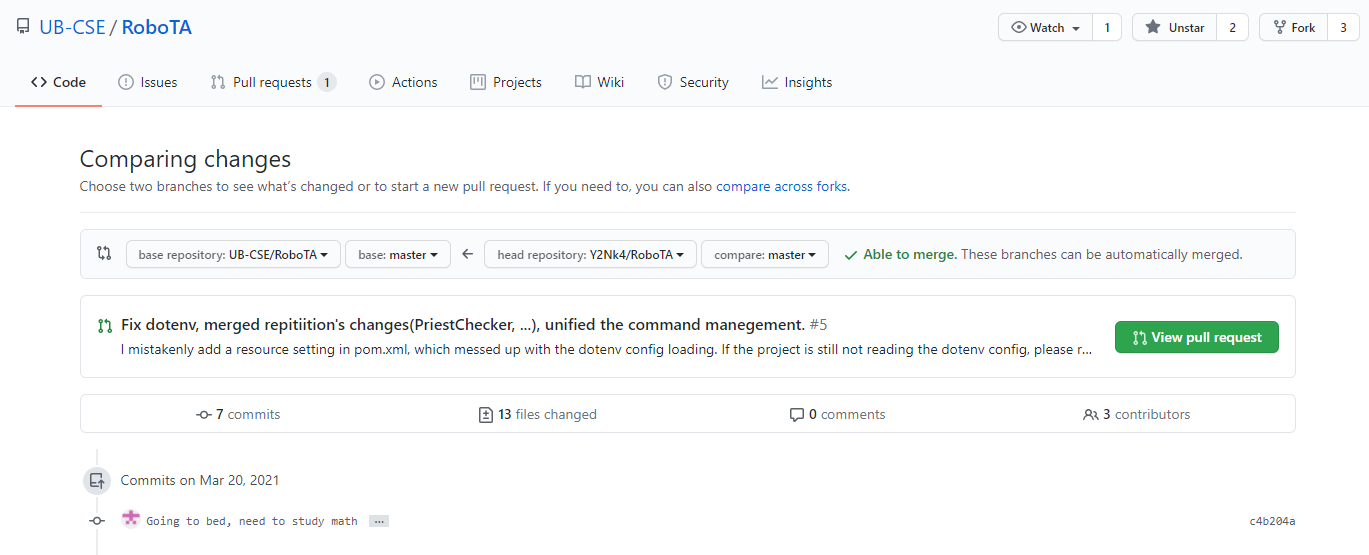
-
Click on
Create Pull Request
-
Follow the rules from there, explain your contribution, then push.
-
Once the PR is created, you are all set. Your PR will be merged if we review your contribution and if it's good to merge. GitHub will send you email notifications about your PR once any changes are made to your PR.
This project has not (yet) enforced a Commit Message Format.
But a more readable messages in your commit could help us to review your code, and approve your contribution quicker.
It's also easier for us to locate problems though the project history later.
Although this project has not (yet) enforced a Commit Message Format,
Git Commit Guidelines - Angular.js
is a good example and guideline of more readable commits