Deep Reinforcement Based Autonomous Flight
- Utilized the latest versions of Gazebo (Ignition) Simulator (Gazebo Garden), PX4 (v1.14) on Ubuntu 22.04
- Support ROS2(Humble) based PX4 offboard control
- Implement Lidar to X500 model
- Implement advanced Deep Reinforcement Learning (DRL) for local navigation
- Implement SLAM
- Implement Global Path Planning
Use the ubuntu.sh script in PX4 repo will install PX4&Gazebo Garden on Ubuntu 22.04. https://docs.px4.io/main/en/dev_setup/dev_env_linux_ubuntu.html
Install ROS2 Humble. https://docs.ros.org/en/humble/Installation/Ubuntu-Install-Debians.html
Source in the bash shell
source /opt/ros/humble/setup.bash
Check the "Using a specific and unsupported Gazebo version with ROS 2" in the following link https://gazebosim.org/docs/garden/ros_installation -> some command should be modified,follow the instrutions below.
- Installing rosdep rules to resolve Gazebo Garden libraries
sudo bash -c 'wget https://raw.githubusercontent.com/osrf/osrf-rosdep/master/gz/00-gazebo.list -O /etc/ros/rosdep/sources.list.d/00-gazebo.list'
rosdep update
<!-- check that resolve works -->
rosdep resolve gz-garden
-
Installing (ros_gz packages)[https://github.com/gazebosim/ros_gz/tree/humble] which includes ros_gz_bridge
Create a colcon workspace:
export GZ_VERSION=garden
<!-- Setup the workspace -->
mkdir -p ~/ws/src
cd ~/ws/src
Install dependencies (this may also install Gazebo):
cd ~/ws
rosdep install -r --from-paths src -i -y --rosdistro humble
Build the workspace:
<!-- Source ROS distro's setup.bash -->
source /opt/ros/humble/setup.bash

<!-- Build and install into workspace -->
cd ~/ws
colcon build

<!-- Download needed software -->
git clone https://github.com/gazebosim/ros_gz.git -b humble
Try this example & check supported msgs after installation from https://gazebosim.org/docs/garden/ros2_integration You need to source to use ros_gz_bridge
source ~/ws/install/setup.bash
Setup Micro XRCE-DDS Agent & Client from https://docs.px4.io/main/en/ros/ros2_comm.html

Download QGC from http://qgroundcontrol.com/
make px4_sitl gz_x500

Implemented Lidar sensor : modified model


- Run MicroXRCEAgent
MicroXRCEAgent udp4 -p 8888
-
Run QGC & TakeOff & change it to Offboard Control mode
-
Install Px4_ros_com & px4_mgs, and run offboard example
mkdir example_ws
cd example_ws
mkdir src
git clone https://github.com/PX4/px4_msgs.git
git clone https://github.com/PX4/px4_ros_com.git src/px4_ros_com
git clone https://github.com/Jaeyoung-Lim/px4-offboard.git src/px4-offboard
colcon build
source ../example_ws/install/setup.bash
ros2 topic echo /fmu/out/vehicle_status
ros2 launch px4_offboard offboard_position_control.launch.py
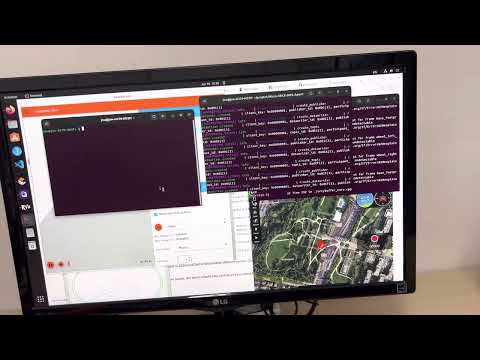
- demo video