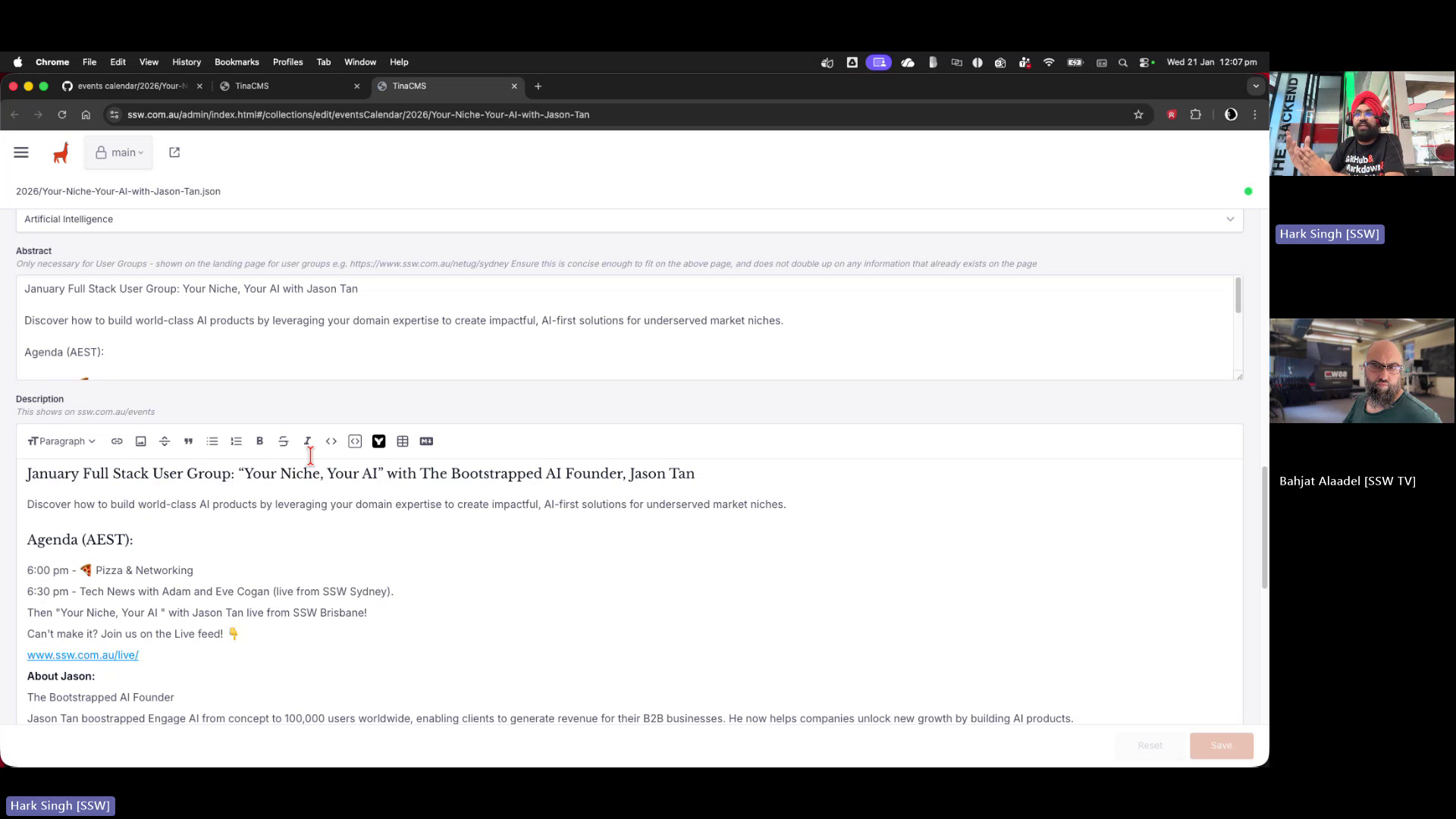
🐛 Bug - Event editing in TinaCMS has no preview and incorrect navigation/sorting #4473

Description

Requested by: @0xharkirat via YakShaver.ai 🦬
cc: @0xharkirat, @bahjatalaadelssw, @brookjeynes-ssw, @adamcogan, @babakamyljanovssw @Calinator444
Hi Team!
🟥 Watch the video (3 min 45 sec)
Url from screen share: https://ssw.com.au/admin/index.html#/collections/edit/eventsCalendar/2026/Your-Niche-Your-AI-with-Jason-Tan
Pain
Reviewers cannot properly preview or validate changes when editing Events in the TinaCMS admin for the ⭐ SSW Website (Dev - Next.js). Opening an event from the admin interface shows only a full-width markdown editor with no working preview. The Preview button navigates to an about:blank page. Additionally, the Events Calendar navigation shows duplicate year folders (e.g. 2026 appears twice with identical contents), and sorting options are largely unusable for finding events chronologically, making event management and review error-prone and inefficient.
Acceptance Criteria
- When editing an Event in TinaCMS, a working preview is available that shows the rendered page as it would appear on the public website
- Clicking the Preview button from the Event editing page navigates to a valid preview URL instead of about:blank
- Events edited in TinaCMS correctly map to and are visible on their corresponding public event pages (e.g. Brisbane Full Stack User Group)
- The Events Calendar in the TinaCMS sidebar does not show duplicate year folders (e.g. 2026 appears only once)
- Event sorting supports a clear and useful chronological order by date without relying on non-relevant fields
- Non-useful or confusing sort options (e.g. URL, thumbnail description, YouTube ID) are removed or deprioritised
- A reviewer can easily locate, preview, and verify changes to an event without reading raw markdown
Reproduce Steps
- Open TinaCMS admin for the SSW Website
- Navigate to Events Calendar from the sidebar
- Observe that the same year (e.g. 2026) appears more than once with identical contents
- Open any event (e.g. Brisbane Full Stack User Group)
- Note that only a full-width editor is shown with no rendered preview
- Click the Preview button on the event editing page
- Observe that the browser navigates to about:blank and no preview is displayed
- Attempt to sort events using different sort options and note that most do not produce a useful chronological order
Screenshot
Figure: Event editor opens without any preview of content changes