Mention the solution for "SPLAT workbook becoming corrupt after a while" #35


Description

As described by Bruno:
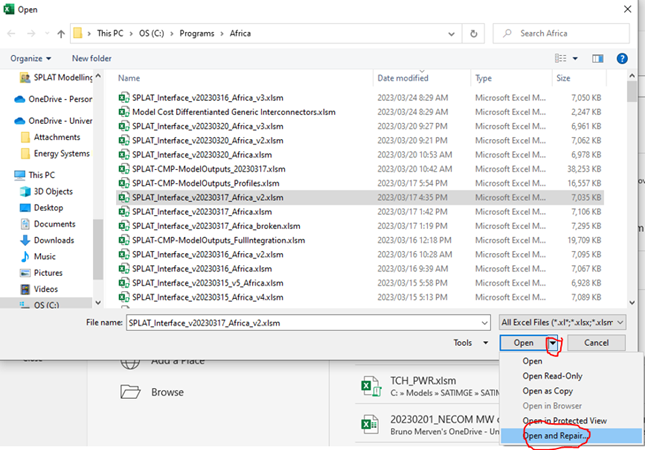
We have noticed that after a while the SPLAT workbook becomes corrupt, and Excel doesn't fix it by default. I have this week discovered that there is a way to get Excel to fix the broken file, which seems to work on the corrupt SPLAT workbooks, and we should add the procedure to the user manual.
The procedure is as follows:
File-> open -> browse and select corrupt file. Then instead of clicking open, click on the arrow to the right and then select "open and repair" as shown below. This seems to work very well.
Metadata
Metadata
Assignees
Labels
No labels