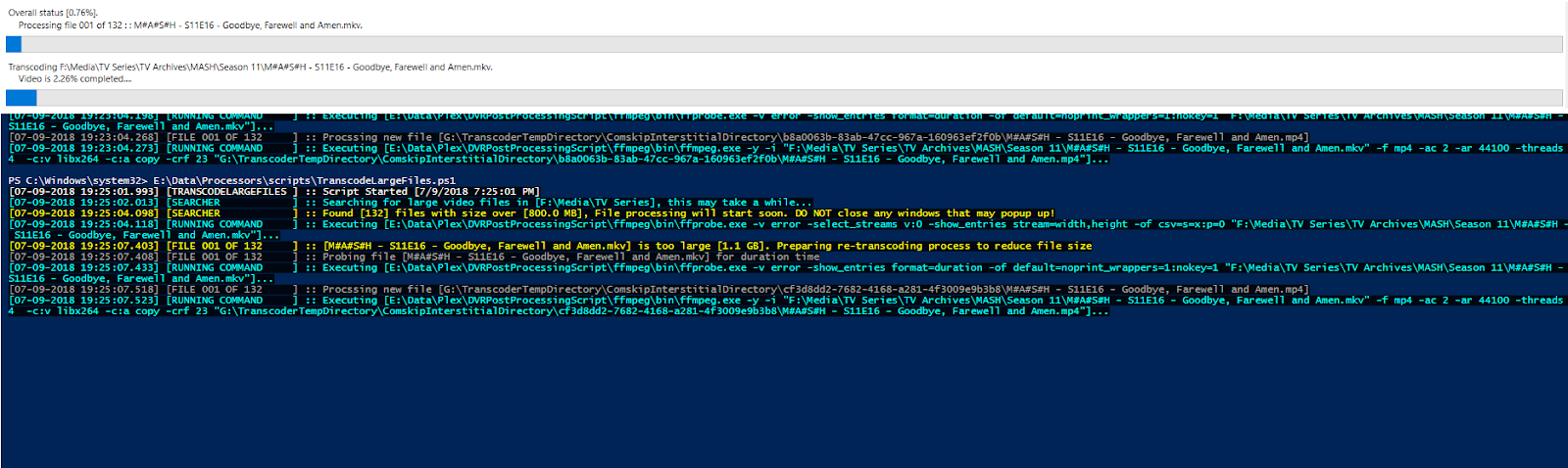
Grab each file and determine its size, if larger than specified. transcode and replace.
I wrote this powershell script to tanscode all my TV shows that were 800mb of larger in size. My tv tuner would make an 1hour show over 6gb. The goal of this script was to:
 1.) Find all large video files no matter what directory they are in
 2.) Give me a status on how many there are and size
 3.) Retanscode differently for each type of video and run a 2 pass transcode if not reduced small enough
 4.) Display a progress bar with log
 5.) Replace original video with new transcode video and cleanup working directory
 6.) Record what videos were processed and theyre new size
To get ffmpeg to display a progress status, I had to first get the video duration using ffprobe. Using ffprobes value and redirecting ffmpeg stanradr error output to a log, I was able to grab the last line in the log and find the current transcode spot in the timeline and build a progress bar actively showing ffmpeg's percentage.
 - comskip.exe (entire zipped directory) --> https://www.videohelp.com/software/Comskip/old-versions#downloadold
 - ffmpeg.exe --> https://ffmpeg.org/download.html
 - ffprobe.exe (comes with ffmpeg) --> https://ffmpeg.org/download.html
 - PlexComskip.py (optional) --> https://github.com/ekim1337/PlexComskip
 - Python 2.7 (optional) --> https://www.python.org/downloads/release/python-2713/