Releases: OSTooling/UUPMediaCreator
Version 3.1.2.0

- Updated dependencies (Microsoft.Dism, Microsoft.Wim, dotnet, etc)
- Refactoring of many portions of the converter, improves performance, fixes a few key issues (note: currently you may see an error message about appx files failing to install, this is normal as the tool tries a few different way to achieve this, as long as the tool does not terminate the process is going as planned, this minor issue is going to be fixed in subsequent updates).
- Fixes an issue with Appx paths in WCOS updates
Full Changelog: v0.3.1.1...v3.1.2.0
Version 0.3.1.1
What's Changed
- Refactor/mediaconverter by @gus33000 in #101
- Make use of WimgApi first by @gus33000 in #102
- Refactor/wimlib by @gus33000 in #104
- Bump Microsoft.Windows.CsWinRT from 1.5.0 to 1.6.1 by @dependabot in #105
- Bump IndexRange from 1.0.1-beta.1 to 1.0.1 by @dependabot in #103
- Change default Appx provisioning region to "all" by @thebookisclosed in #118
- Bump CommandLineParser from 2.9.0-preview1 to 2.9.1 by @dependabot in #117
- Bump System.Text.Json from 6.0.2 to 6.0.4 by @dependabot in #116
- Bump Microsoft.Windows.CsWinRT from 1.6.1 to 1.6.3 by @dependabot in #114
- Bump IndexRange from 1.0.1 to 1.0.2 by @dependabot in #113
- Bump Microsoft.UI.Xaml from 2.8.0-prerelease.220118001 to 2.8.0-prerelease.220413001 by @dependabot in #112
Full Changelog: v0.3.1.0...v0.3.1.1
Contributors


Assets 9
Version 0.3.1.0c
This release contains bug fixes and enhancements. Key changes include
- Resolves an issue with temp path not being respected during conversion
- Resolves an issue with appx collection not being functional
- Resolves an issue with error codes not being returned by both tools
- Enables UUPDownload to only download what's needed for AppXs
- Addresses an issue with newly released builds
Full Changelog: v0.3.1.0...v0.3.1.0c
Version 0.3.1.0b
This release includes all the bells and whistles of version 0.3.1.0a of which you can read the changelog here, but with an extra fix for a regression in processing of command line arguments.
Full Changelog: v0.3.1.0a...v0.3.1.0b
Original changelog pasted below for completeness
What's Changed
- Added the ability to integrate Applications starting with Windows 11 Build 22563 (Only when running as administrator under Windows, with slowdowns)
- Fixed a few issues preventing successful conversion of UUP files to an iso
- Fixed an issue preventing Windows Setup from functioning properly on Windows 11 Dev Channel builds for Windows 11 22H1
- Improved the logic to uninstall PE packages from WinPE
- Various bug fixes
- Added the ability to specify an alternative temporary path for the conversion process
- Added the ability to specify the compression level for the resulting ISO file
- ARM64 Support for macOS
- BREAKING: UUPMediaConverterCli was renamed to UUPMediaConverter
- BREAKING: UUPMediaConverter command line arguments were changed to be more robust
Full Changelog: v0.3.0.8...v0.3.1.0
UUP Media Converter Command Line Arguments (Help)
Unified Update Platform Desktop Conversion utility 0.3.1.0
Copyright c Gustave Monce and Contributors

ERROR(S):
  Required option 'u, uup-path' is missing.
  Required option 'i, iso-path' is missing.
  Required option 'l, language-code' is missing.
  Required option 'c, compression-format' is missing.

  -u, --uup-path              Required. The path to the downloaded files from UUP (Universal Update Platform)

  -i, --iso-path              Required. The destination ISO file path

  -l, --language-code         Required. The language to make media for. e.g. en-US

  -e, --edition               The edition to make media for, if possible. Not specifying this argument results in all possible editions being made, if possible.

  -t, --temp-path             The temp path for the tool to use. Defaults to %TEMP%.

  -c, --compression-format    Required. (Default: LZX) The compression format to use. Valid values are: XPRESS, LZX, LZMS

  --help                      Display this help screen.

  --version                   Display version information.
Supported features by OS
| Feature | Windows | Linux | macOS |
|---|---|---|---|
| Downloading files from UUP (UUPDownload) | ✅ | ✅ | ✅ |
| Replaying past downloads from UUP (UUPDownload) | ✅ | ✅ | ✅ |
| Decrypting ESRP payloads from UUP (UUPDownload) | ✅ | ✅ | ✅ |
| Verifying downloaded payloads from UUP (UUPDownload) | ✅ | ✅ | ✅ |
| Sample available builds from UUP (get-builds argument) (UUPDownload) | ✅ | ✅ | ✅ |
| Converting Desktop UUP files to an ISO for one base edition (UUPMediaConverter) | ✅ | ✅ | ✅ |
| Does not require administrative privileges for base edition ISO images | ✅ | ✅ | ✅ |
| CLI available | ✅ | ✅ | ✅ |
| ARM64 Support (aka works on @sinclairinat0r device (TM)) | ✅ | ✅ | ✅ |
| GUI available | ✅ | ❌ | ❌ |
| Converting Desktop UUP files to an ISO for all possible editions (UUPMediaConverter) | ✅ | ❌ | ❌ |
| ISO Preinstallation Environment close to original (UUPMediaConverter) | ✅ | ❌ | ❌ |
| ISO built by CDImage Mastering Utility with UDF and boot sector (UUPMediaConverter) | ✅ | ❌ | ❌ |
| ISO built by mkisofs with UDF and boot sector (UUPMediaConverter) | ❌ | ✅ (1) | ✅ (2) |
| Update file integration (UUPMediaConverter) | ❌ | ❌ | ❌ |
| Building Hololens, Mobile, 10X, IoT images | ❌ | ❌ | ❌ |
| UUPDownload ease of use (will come soon, we promise) | ❌ | ❌ | ❌ |
(1): requires apt-get install genisoimage
(2): requires brew install cdrtools
Usage
UUPDownload might be a little too complicated to use for some people. For reference purposes, here's the current set of parameters you can use as of 2021-05-18:
| Channel | Command |
|---|---|
| Retail (Desktop) | -s Professional -v 10.0.19043.1 -r Retail -b Retail -c vb_release -t [your architecture] |
| Retail (IoT) | -s IoTUAP -v 10.0.17763.1 -r Retail -b Retail -c rs5_release -t [your architecture] |
| Retail (Holographic) | -s Holographic -v 10.0.20346.1 -r Retail -b Retail -c fe_release -t [your architecture] |
| Retail (Mobile) | -s MobileCore -v 10.0.15254.1 -r Retail -b Retail -c feature2 -t [your architecture] |
| Retail (Team) | -s PPIPro -v 10.0.19043.1 -r Retail -b Retail -c vb_release -t [your architecture] |
| Release Preview (Desktop) | -s Professional -v 10.0.19043.1 -r External -b ReleasePreview -c vb_release -t [your architecture] |
| Release Preview (HCI) | -s AzureStackHCIServerCore -v 10.0.22000.1 -r External -b ReleasePreview -c rs_prerelease -t [your architecture] |
| Beta (Desktop) | -s Professional -v 10.0.19043.1 -r External -b Beta -c vb_release -t [your architecture] |
| Beta (Holographic) | -s Holographic -v 10.0.19043.1 -r External -b Beta -c vb_release -t [your architecture] |
| Beta (Team) | -s PPIPro -v 10.0.19043.1 -r External -b Beta -c vb_release -t [your architecture] |
| Dev (Desktop) | -s Professional -v 10.0.19043.1 -r External -b Dev -c vb_release -t [your architecture] |
| Dev (Holographic) | -s Holographic -v 10.0.19043.1 -r External -b Dev -c vb_release -t [your architecture] |
| Dev (Team) | -s PPIPro -v 10.0.19043.1 -r External -b Dev -c vb_release -t [your architecture] |
TIP 1: You can append -e [Edition to download] to get the files needed only for a specific edition
TIP 2: You can append -l [Language to download] to get the files needed only for a specific language
Credits
We would like to thank the following contributors to this release:
Contributors

Assets 9
Version 0.3.1.0a
This release includes all the bells and whistles of version 0.3.1.0 of which you can read the changelog here, but with an extra fix for a regression in the command line parsing.
Full Changelog: v0.3.1.0...v0.3.1.0a
Original changelog pasted below for completeness
What's Changed
- Added the ability to integrate Applications starting with Windows 11 Build 22563 (Only when running as administrator under Windows, with slowdowns)
- Fixed a few issues preventing successful conversion of UUP files to an iso
- Fixed an issue preventing Windows Setup from functioning properly on Windows 11 Dev Channel builds for Windows 11 22H1
- Improved the logic to uninstall PE packages from WinPE
- Various bug fixes
- Added the ability to specify an alternative temporary path for the conversion process
- Added the ability to specify the compression level for the resulting ISO file
- ARM64 Support for macOS
- BREAKING: UUPMediaConverterCli was renamed to UUPMediaConverter
- BREAKING: UUPMediaConverter command line arguments were changed to be more robust
Full Changelog: v0.3.0.8...v0.3.1.0
UUP Media Converter Command Line Arguments (Help)
Unified Update Platform Desktop Conversion utility 0.3.1.0
Copyright c Gustave Monce and Contributors

ERROR(S):
  Required option 'u, uup-path' is missing.
  Required option 'i, iso-path' is missing.
  Required option 'l, language-code' is missing.
  Required option 'c, compression-format' is missing.

  -u, --uup-path              Required. The path to the downloaded files from UUP (Universal Update Platform)

  -i, --iso-path              Required. The destination ISO file path

  -l, --language-code         Required. The language to make media for. e.g. en-US

  -e, --edition               The edition to make media for, if possible. Not specifying this argument results in all possible editions being made, if possible.

  -t, --temp-path             The temp path for the tool to use. Defaults to %TEMP%.

  -c, --compression-format    Required. (Default: LZX) The compression format to use. Valid values are: XPRESS, LZX, LZMS

  --help                      Display this help screen.

  --version                   Display version information.
Supported features by OS
| Feature | Windows | Linux | macOS |
|---|---|---|---|
| Downloading files from UUP (UUPDownload) | ✅ | ✅ | ✅ |
| Replaying past downloads from UUP (UUPDownload) | ✅ | ✅ | ✅ |
| Decrypting ESRP payloads from UUP (UUPDownload) | ✅ | ✅ | ✅ |
| Verifying downloaded payloads from UUP (UUPDownload) | ✅ | ✅ | ✅ |
| Sample available builds from UUP (get-builds argument) (UUPDownload) | ✅ | ✅ | ✅ |
| Converting Desktop UUP files to an ISO for one base edition (UUPMediaConverter) | ✅ | ✅ | ✅ |
| Does not require administrative privileges for base edition ISO images | ✅ | ✅ | ✅ |
| CLI available | ✅ | ✅ | ✅ |
| ARM64 Support (aka works on @sinclairinat0r device (TM)) | ✅ | ✅ | ✅ |
| GUI available | ✅ | ❌ | ❌ |
| Converting Desktop UUP files to an ISO for all possible editions (UUPMediaConverter) | ✅ | ❌ | ❌ |
| ISO Preinstallation Environment close to original (UUPMediaConverter) | ✅ | ❌ | ❌ |
| ISO built by CDImage Mastering Utility with UDF and boot sector (UUPMediaConverter) | ✅ | ❌ | ❌ |
| ISO built by mkisofs with UDF and boot sector (UUPMediaConverter) | ❌ | ✅ (1) | ✅ (2) |
| Update file integration (UUPMediaConverter) | ❌ | ❌ | ❌ |
| Building Hololens, Mobile, 10X, IoT images | ❌ | ❌ | ❌ |
| UUPDownload ease of use (will come soon, we promise) | ❌ | ❌ | ❌ |
(1): requires apt-get install genisoimage
(2): requires brew install cdrtools
Usage
UUPDownload might be a little too complicated to use for some people. For reference purposes, here's the current set of parameters you can use as of 2021-05-18:
| Channel | Command |
|---|---|
| Retail (Desktop) | -s Professional -v 10.0.19043.1 -r Retail -b Retail -c vb_release -t [your architecture] |
| Retail (IoT) | -s IoTUAP -v 10.0.17763.1 -r Retail -b Retail -c rs5_release -t [your architecture] |
| Retail (Holographic) | -s Holographic -v 10.0.20346.1 -r Retail -b Retail -c fe_release -t [your architecture] |
| Retail (Mobile) | -s MobileCore -v 10.0.15254.1 -r Retail -b Retail -c feature2 -t [your architecture] |
| Retail (Team) | -s PPIPro -v 10.0.19043.1 -r Retail -b Retail -c vb_release -t [your architecture] |
| Release Preview (Desktop) | -s Professional -v 10.0.19043.1 -r External -b ReleasePreview -c vb_release -t [your architecture] |
| Release Preview (HCI) | -s AzureStackHCIServerCore -v 10.0.22000.1 -r External -b ReleasePreview -c rs_prerelease -t [your architecture] |
| Beta (Desktop) | -s Professional -v 10.0.19043.1 -r External -b Beta -c vb_release -t [your architecture] |
| Beta (Holographic) | -s Holographic -v 10.0.19043.1 -r External -b Beta -c vb_release -t [your architecture] |
| Beta (Team) | -s PPIPro -v 10.0.19043.1 -r External -b Beta -c vb_release -t [your architecture] |
| Dev (Desktop) | -s Professional -v 10.0.19043.1 -r External -b Dev -c vb_release -t [your architecture] |
| Dev (Holographic) | -s Holographic -v 10.0.19043.1 -r External -b Dev -c vb_release -t [your architecture] |
| Dev (Team) | -s PPIPro -v 10.0.19043.1 -r External -b Dev -c vb_release -t [your architecture] |
TIP 1: You can append -e [Edition to download] to get the files needed only for a specific edition
TIP 2: You can append -l [Language to download] to get the files needed only for a specific language
Credits
We would like to thank the following contributors to this release:
Contributors
Assets 9
Version 0.3.1.0
What's Changed
- Added the ability to integrate Applications starting with Windows 11 Build 22563 (Only when running as administrator under Windows, with slowdowns)
- Fixed a few issues preventing successful conversion of UUP files to an iso
- Fixed an issue preventing Windows Setup from functioning properly on Windows 11 Dev Channel builds for Windows 11 22H1
- Improved the logic to uninstall PE packages from WinPE
- Various bug fixes
- Added the ability to specify an alternative temporary path for the conversion process
- Added the ability to specify the compression level for the resulting ISO file
- ARM64 Support for macOS
- BREAKING: UUPMediaConverterCli was renamed to UUPMediaConverter
- BREAKING: UUPMediaConverter command line arguments were changed to be more robust
Full Changelog: v0.3.0.8...v0.3.1.0
UUP Media Converter Command Line Arguments (Help)
Unified Update Platform Desktop Conversion utility 0.3.1.0
Copyright c Gustave Monce and Contributors

ERROR(S):
  Required option 'u, uup-path' is missing.
  Required option 'i, iso-path' is missing.
  Required option 'l, language-code' is missing.
  Required option 'c, compression-format' is missing.

  -u, --uup-path              Required. The path to the downloaded files from UUP (Universal Update Platform)

  -i, --iso-path              Required. The destination ISO file path

  -l, --language-code         Required. The language to make media for. e.g. en-US

  -e, --edition               The edition to make media for, if possible. Not specifying this argument results in all possible editions being made, if possible.

  -t, --temp-path             The temp path for the tool to use. Defaults to %TEMP%.

  -c, --compression-format    Required. (Default: LZX) The compression format to use. Valid values are: XPRESS, LZX, LZMS

  --help                      Display this help screen.

  --version                   Display version information.
Supported features by OS
| Feature | Windows | Linux | macOS |
|---|---|---|---|
| Downloading files from UUP (UUPDownload) | ✅ | ✅ | ✅ |
| Replaying past downloads from UUP (UUPDownload) | ✅ | ✅ | ✅ |
| Decrypting ESRP payloads from UUP (UUPDownload) | ✅ | ✅ | ✅ |
| Verifying downloaded payloads from UUP (UUPDownload) | ✅ | ✅ | ✅ |
| Sample available builds from UUP (get-builds argument) (UUPDownload) | ✅ | ✅ | ✅ |
| Converting Desktop UUP files to an ISO for one base edition (UUPMediaConverter) | ✅ | ✅ | ✅ |
| Does not require administrative privileges for base edition ISO images | ✅ | ✅ | ✅ |
| CLI available | ✅ | ✅ | ✅ |
| ARM64 Support (aka works on @sinclairinat0r device (TM)) | ✅ | ✅ | ✅ |
| GUI available | ✅ | ❌ | ❌ |
| Converting Desktop UUP files to an ISO for all possible editions (UUPMediaConverter) | ✅ | ❌ | ❌ |
| ISO Preinstallation Environment close to original (UUPMediaConverter) | ✅ | ❌ | ❌ |
| ISO built by CDImage Mastering Utility with UDF and boot sector (UUPMediaConverter) | ✅ | ❌ | ❌ |
| ISO built by mkisofs with UDF and boot sector (UUPMediaConverter) | ❌ | ✅ (1) | ✅ (2) |
| Update file integration (UUPMediaConverter) | ❌ | ❌ | ❌ |
| Building Hololens, Mobile, 10X, IoT images | ❌ | ❌ | ❌ |
| UUPDownload ease of use (will come soon, we promise) | ❌ | ❌ | ❌ |
(1): requires apt-get install genisoimage
(2): requires brew install cdrtools
Usage
UUPDownload might be a little too complicated to use for some people. For reference purposes, here's the current set of parameters you can use as of 2021-05-18:
| Channel | Command |
|---|---|
| Retail (Desktop) | -s Professional -v 10.0.19043.1 -r Retail -b Retail -c vb_release -t [your architecture] |
| Retail (IoT) | -s IoTUAP -v 10.0.17763.1 -r Retail -b Retail -c rs5_release -t [your architecture] |
| Retail (Holographic) | -s Holographic -v 10.0.20346.1 -r Retail -b Retail -c fe_release -t [your architecture] |
| Retail (Mobile) | -s MobileCore -v 10.0.15254.1 -r Retail -b Retail -c feature2 -t [your architecture] |
| Retail (Team) | -s PPIPro -v 10.0.19043.1 -r Retail -b Retail -c vb_release -t [your architecture] |
| Release Preview (Desktop) | -s Professional -v 10.0.19043.1 -r External -b ReleasePreview -c vb_release -t [your architecture] |
| Release Preview (HCI) | -s AzureStackHCIServerCore -v 10.0.22000.1 -r External -b ReleasePreview -c rs_prerelease -t [your architecture] |
| Beta (Desktop) | -s Professional -v 10.0.19043.1 -r External -b Beta -c vb_release -t [your architecture] |
| Beta (Holographic) | -s Holographic -v 10.0.19043.1 -r External -b Beta -c vb_release -t [your architecture] |
| Beta (Team) | -s PPIPro -v 10.0.19043.1 -r External -b Beta -c vb_release -t [your architecture] |
| Dev (Desktop) | -s Professional -v 10.0.19043.1 -r External -b Dev -c vb_release -t [your architecture] |
| Dev (Holographic) | -s Holographic -v 10.0.19043.1 -r External -b Dev -c vb_release -t [your architecture] |
| Dev (Team) | -s PPIPro -v 10.0.19043.1 -r External -b Dev -c vb_release -t [your architecture] |
TIP 1: You can append -e [Edition to download] to get the files needed only for a specific edition
TIP 2: You can append -l [Language to download] to get the files needed only for a specific language
Credits
We would like to thank the following contributors to this release:
Contributors
Assets 9
v0.3.0.9-prerelease
What's Changed
- Added the ability to integrate Applications starting with Windows 11 Build 22567 (Only when running as administrator, with slowdowns)
- Fixed a few issues preventing successful conversion of UUP files to an iso
- Fixed an issue preventing Windows Setup from functioning properly on Windows 11 Dev Channel builds for Windows 11 22H1
- Improved the logic to uninstall PE packages from WinPE
- Various bug fixes
Full Changelog: v0.3.0.8...v0.3.0.9-prerelease
Credits
We would like to thank the following contributors to this release:
Contributors
Assets 8
v0.3.0.8 - UUP Media Creator now has a functional UWP GUI!
UUP Media Creator UWP GUI release
What's new:
UWP GUI is finally available, it only has a limited feature set compared to command line tools, but that's already good enough for most people :)
You will be able to create ISO media in any language for the version of Windows you want as long as you do not need Cumulative Update integration, and this, without even needing administrator privileges!
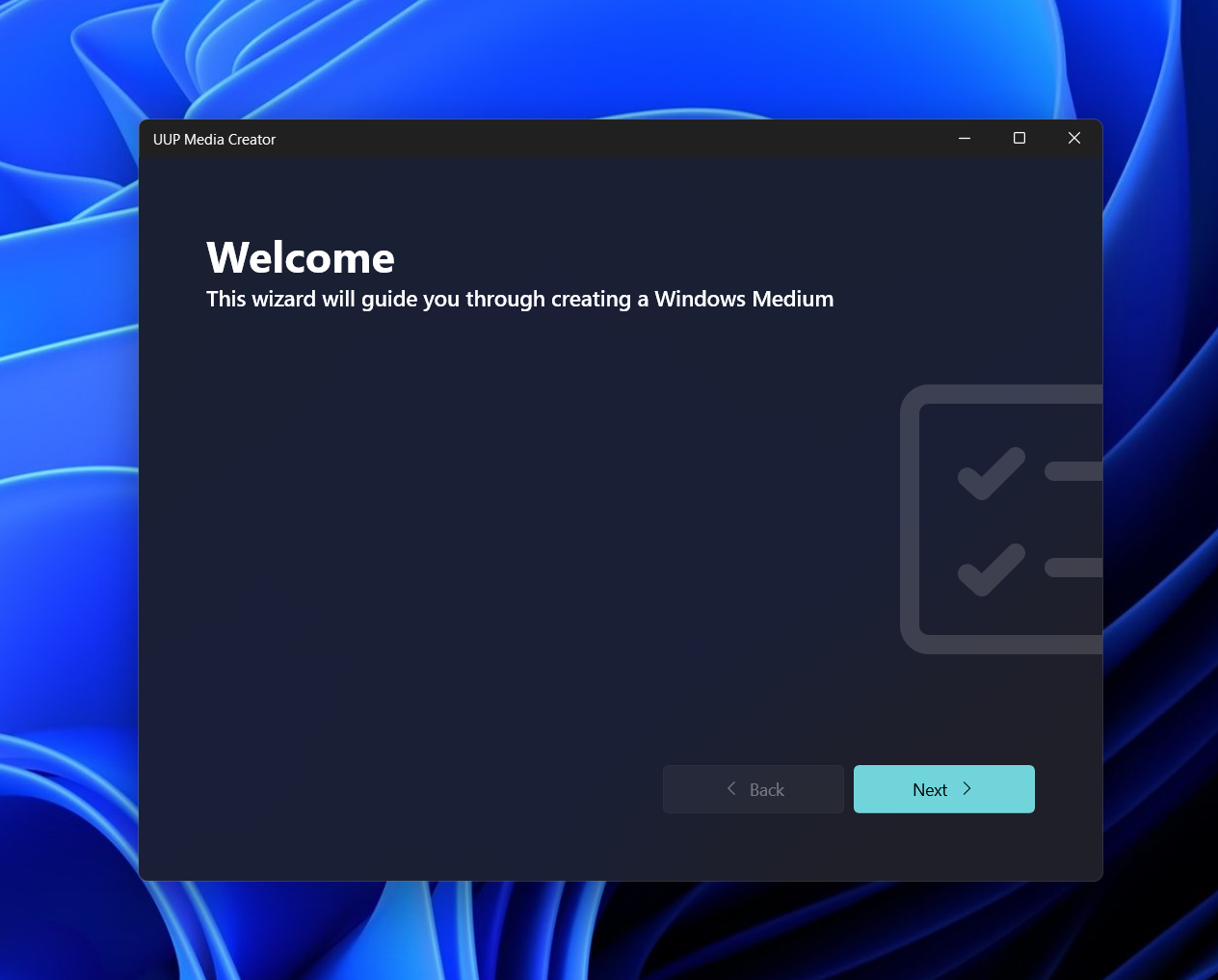
And yes, we have Mica
Feel free to report issues!
Features
| Feature | UUP Media Creator |
|---|---|
| Has easy to use UWP GUI | ✅ |
| UWP GUI does not require user to be an admin | ✅ |
| Mica Available | ✅ |
| Updates through the store | ✅ * |
| Just works | ✅ |
| ARM64 ready | ✅ |
| X86 & X86_64 ready | ✅ |
- App still in certification, once it will be available you'll find it here: https://www.microsoft.com/store/productId/9N1Z0JXB224X
Looking for the CLI? Check out the previous release: https://github.com/gus33000/UUPMediaCreator/releases/tag/v0.3.0.8
v0.3.0.8
General bug fixes & enhancements across the board.
Notably:
Fixes #50
Fixes an issue with unreliable downloads
Fixes an issue with missing CU files for Windows 11
Fixes multiple issues regarding the conversion process of certain builds
Allows building media for a specific sku only when under admin mode (Like PPIPro/Windows 10 Team)
Supported features by OS
| Feature | Windows | Linux | macOS |
|---|---|---|---|
| Downloading files from UUP (UUPDownload) | ✅ | ✅ | ✅ |
| Replaying past downloads from UUP (UUPDownload) | ✅ | ✅ | ✅ |
| Decrypting ESRP payloads from UUP (UUPDownload) | ✅ | ✅ | ✅ |
| Verifying downloaded payloads from UUP (UUPDownload) | ✅ | ✅ | ✅ |
| Sample available builds from UUP (get-builds argument) (UUPDownload) | ✅ | ✅ | ✅ |
| Converting Desktop UUP files to an ISO for one base edition (UUPMediaConverterCli) | ✅ | ✅ | ✅ |
| Does not require administrative privileges for base edition ISO images | ✅ | ✅ | ✅ |
| CLI available | ✅ | ✅ | ✅ |
| GUI available | ✅ | ❌ | ❌ |
| Converting Desktop UUP files to an ISO for all possible editions (UUPMediaConverterCli) | ✅ | ❌ | ❌ |
| ISO Preinstallation Environment close to original (UUPMediaConverterCli) | ✅ | ❌ | ❌ |
| ISO built by CDImage Mastering Utility with UDF and boot sector (UUPMediaConverterCli) | ✅ | ❌ | ❌ |
| ISO built by mkisofs with UDF and boot sector (UUPMediaConverterCli) | ❌ | ✅ (2) | ✅ (3) |
| Update file integration (UUPMediaConverterCli) | ❌ | ❌ | ❌ |
| Building Hololens, Mobile, 10X, IoT images | ❌ | ❌ | ❌ |
| UUPDownload ease of use (will come soon, we promise) | ❌ | ❌ | ❌ |
| ARM64 Support (aka works on @sinclairinat0r device (TM)) | ✅ | ✅ | ❌ (1) |
(1): Can be ran through Rosetta
(2): requires apt-get install genisoimage
(3): requires brew install cdrtools
Usage
UUPDownload might be a little too complicated to use for some people. For reference purposes, here's the current set of parameters you can use as of 2021-05-18:
| Channel | Command |
|---|---|
| Retail (Desktop) | -s Professional -v 10.0.19043.1 -r Retail -b Retail -c vb_release -t [your architecture] |
| Retail (IoT) | -s IoTUAP -v 10.0.17763.1 -r Retail -b Retail -c rs5_release -t [your architecture] |
| Retail (Holographic) | -s Holographic -v 10.0.20346.1 -r Retail -b Retail -c fe_release -t [your architecture] |
| Retail (Mobile) | -s MobileCore -v 10.0.15254.1 -r Retail -b Retail -c feature2 -t [your architecture] |
| Retail (Team) | -s PPIPro -v 10.0.19043.1 -r Retail -b Retail -c vb_release -t [your architecture] |
| Release Preview (Desktop) | -s Professional -v 10.0.19043.1 -r External -b ReleasePreview -c vb_release -t [your architecture] |
| Release Preview (HCI) | -s AzureStackHCIServerCore -v 10.0.22000.1 -r External -b ReleasePreview -c rs_prerelease -t [your architecture] |
| Beta (Desktop) | -s Professional -v 10.0.19043.1 -r External -b Beta -c vb_release -t [your architecture] |
| Beta (Holographic) | -s Holographic -v 10.0.19043.1 -r External -b Beta -c vb_release -t [your architecture] |
| Beta (Team) | -s PPIPro -v 10.0.19043.1 -r External -b Beta -c vb_release -t [your architecture] |
| Dev (Desktop) | -s Professional -v 10.0.19043.1 -r External -b Dev -c vb_release -t [your architecture] |
| Dev (Holographic) | -s Holographic -v 10.0.19043.1 -r External -b Dev -c vb_release -t [your architecture] |
| Dev (Team) | -s PPIPro -v 10.0.19043.1 -r External -b Dev -c vb_release -t [your architecture] |
TIP 1: You can append -e [Edition to download] to get the files needed only for a specific edition
TIP 2: You can append -l [Language to download] to get the files needed only for a specific language
v0.3.0.6 - Fix
Update UUPMediaConverterCli.csproj (#51)

Add a Project reference to UUPMediaConverterDismBroker so it does not have to be copied seperately