[Bug] v.colors cannot properly copy color table #1297

Description

Describe the bug
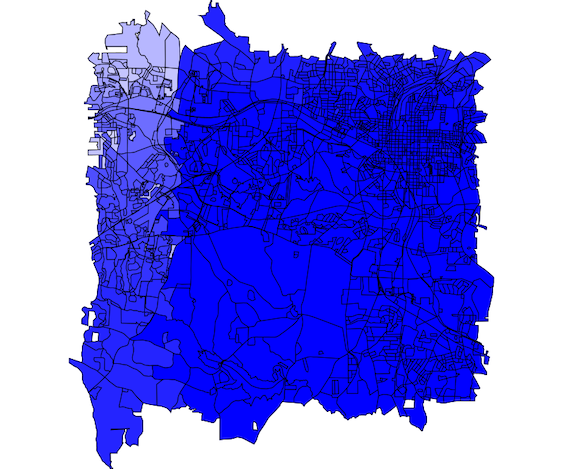
The 'raster=' argument does not seem to work correctly. It colors the vector map but not at all like the raster map from which it is copied. Thereafter, the color cannot be set in d.vect unless the color table is removed using v.colors.
To Reproduce
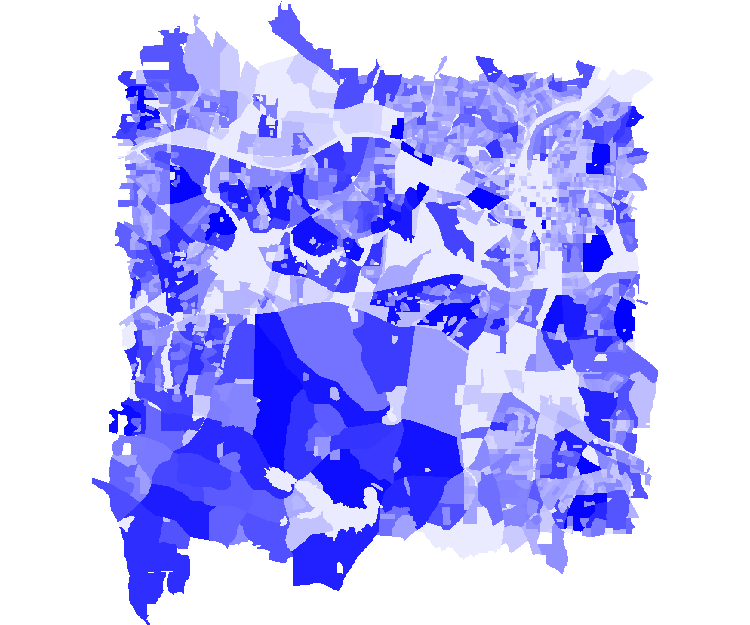
Using the NC dataset, make a raster map from TOTAL_POP from the SW Wake census map, and give it a nice histogram stretched blue color ramp (It does not matter what colors are used, the results are similarly random)
v.to.rast input=censusblk_swwake@PERMANENT output=censusblk_swwake_vect@spatialtech2021 use=attr attribute_column=TOTAL_POP --o
r.colors -e map=censusblk_swwake_vect@spatialtech2021 color=blues
Try to copy this raster color table to the original vector map
v.colors map=censusblk_swwake@PERMANENT use=attr column=TOTAL_POP raster=censusblk_swwake_vect@spatialtech2021
Expected behavior
The color table in the vector map should be the same as in the raster map but it is not
The incorrect colors are also written to a selected RGB column if the rgb_column= argument is used
Screenshots
Raster version of census blocks
Vector of census blocks after running v.color to copy the raster color table
System description (please complete the following information):
- Operating System: Mac OS 11
- GRASS GIS version 7.8.6 dev
Additional context
Possibly the problem is that a raster color table has colors assigned to raster values (TOTAL_POP here). But a vector color table has colors assigned to the CAT value, not the attribute value that it is supposed to match. I think that in this case, v.colors is assigning raster colors to whatever vector objects have CAT values that match raster values (TOTAL_POP here) instead of objects that have matching attribute values, even though the v.color arguments use=attr column=TOTAL_POP are specified.
Also note that v.colors is lacking histogram equalization.