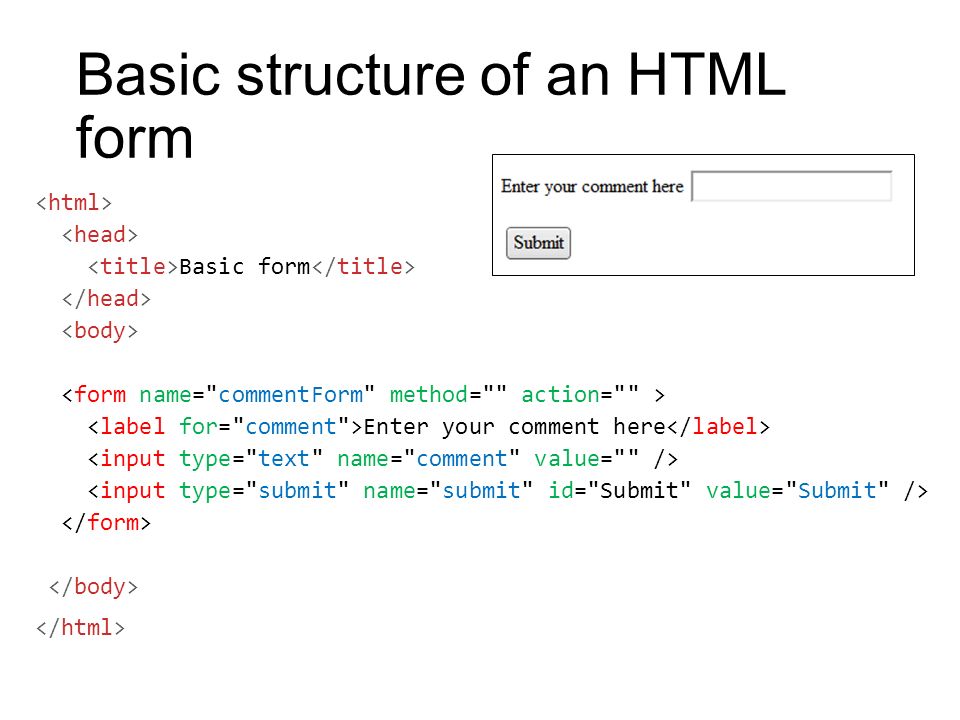
The best known form on the web is probably the search box that sits right in the middle of Google's homepage.
There are many types of form controls that you can use to collect information from visitors :
- Adding Text.
- Making Choices.
- Submitting Forms.
- Uploading Files.
These are some steps to understanding the working of a web form :
-
The visitor loads the form page in his web browser. The browser sends a request to the webserver. The web server returns the HTML page that contains the form.
-
THE visitor fills the form and submits it Well-written forms will have a bit of Javascript code that gets triggered when the form is submitted.
-
The form submission data is sent to the webserver form action URL

-
The web server processes the request The web server passes the form submission data to the form processor script.
-
A response is sent back to the browser. The form processor script sends a response indicating the success or failure of the form processing operations back to the server.

![] (https://images.slideplayer.com/31/9685070/slides/slide_10.jpg)
To change the bullet point color, we replaced the default list bullet with a Unicode bullet character.
First, we removed the default bullets by settings the list-style property value to none. Then we’ve added the Unicode bullet symbol to list items.
To replace the bullet symbol, you just have to change the “\2022” value to the Unicode value of the character you want to use.
Here are an examples for Unicode symbols codes you can use for changing your list bullets shape:
- ⏴Pointing triangle \23F4
- ▷ Pointing triangle \25B7
- ◉ Target \25C9
- ◎ Double circle \25CE
- ★ Star \2605
- ☆ Star \2606
- ☑ Check box \2611
- ✓ Check mark \2713
- ☛ Pointing finger \261B
- ☞ Pointing finger \261E
- ☻ Smiley \263B
- ☺ Smiley \263A

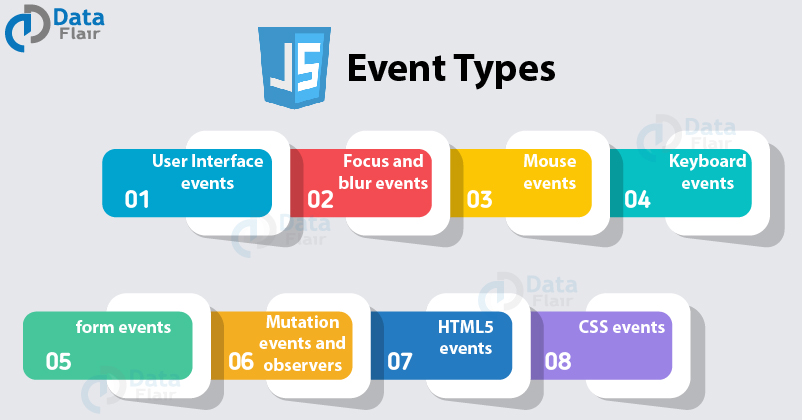
JS interaction with HTML is handled through events that occur when the user or the browser manipulates a page.
When the page loads, it is called an event. When the user clicks a button, that click is an event.
It is triggered when an HTML element changes. onclick: It is triggered when an HTML element is clicked. onmouseover: It is triggered when the mouse is moved over an HTML element.
For more information about Events 🙂
© 2021