Images are used for all kinds of reasons:
- To enhance websites.
- To illustrate stories, in ad displays.
- To present products or services.
- Images worth a thousand words.
- Use Emotional Images.
- Don’t Forget to Test Your Images.
- Don’t Think About Yourself.
- Choose Images That Support Your Goal.
- Go for High-Quality Images.
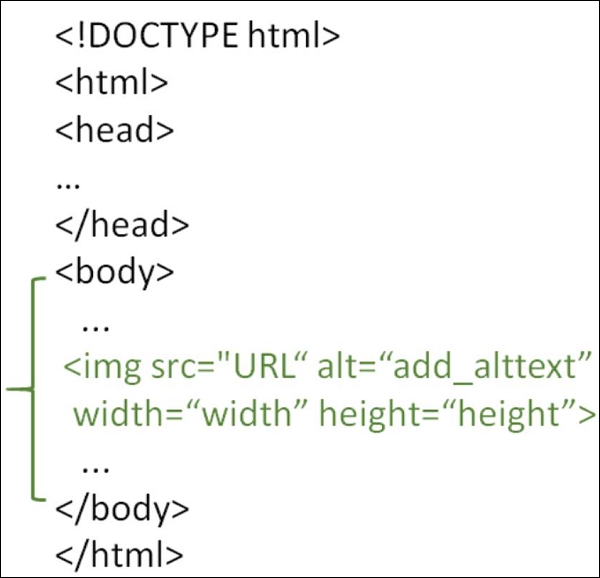
In HTML, Images can be easily inserted at any section use the <img> tags. It is an empty tag, containing only attributes since the closing tag is not required.
keep in mind that you should use the <img> tag inside <body>…</body> tag. The src attribute is used to add the image source. The alt attribute is for adding alternate text, width for adding width, and height for adding the height of the image.
- Before a paragraph.
- inside the start of a paragraph.
- In the middle of a paragraph.
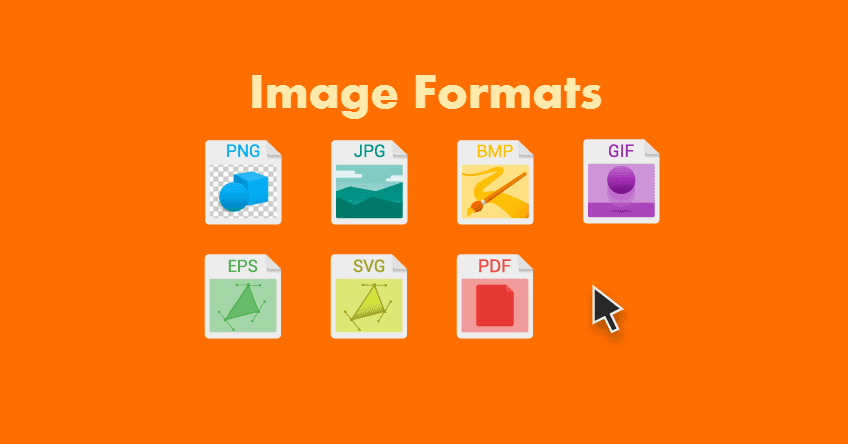
- Save images in the right format.
- Save images at the right size.
- Use the correct resolution.
- TIFF ( tif, tiff).
- GIF (. gif).
- PNG (. png)
- EPS (. eps)
- RAW Image Files.
| Image Size | Common use |
|---|---|
| 1920 x 1080 px | HDTV format, presentations, social media cover photos. 16:9 ratio |
| 1280 x 720 px | HD format, seen in photography and film.16:9 ratio |
| 1080 x 1080 px | Social media posts, profile pictures. 1:1 ratio |
When cropping images it is important not to lose important information.

Resolution refers to the number of pixels in an image. Resolution is sometimes identified by the width and height of the image as well as the total number of pixels in the image.

The color CSS property sets the foreground color value of an element's text and text decorations and sets the <currentcolor> value. current color may be used as an indirect value on other properties and is the default for other color propertie.
The background-color property sets the background color of an element. The background of an element is the total size of the element, including padding and border.
These are the colors that all modern browsers support and we have a total of 140 names. There are lots of advantages that we can get by using these names that have predefined color values.


Another common way to generate colors for our elements is done using RGB values. The abbreviation RGB simply translates to Red-Green-Blue and the order is very important when using this method. The brightness of each color is specified using a number between (0 - 255).

When picking colors, it is important to ensure that there is enough contrast for the text to be legible.
![] (https://www.accentsconagua.com/img/images_7/editing-images-in-css-filters.jpg)
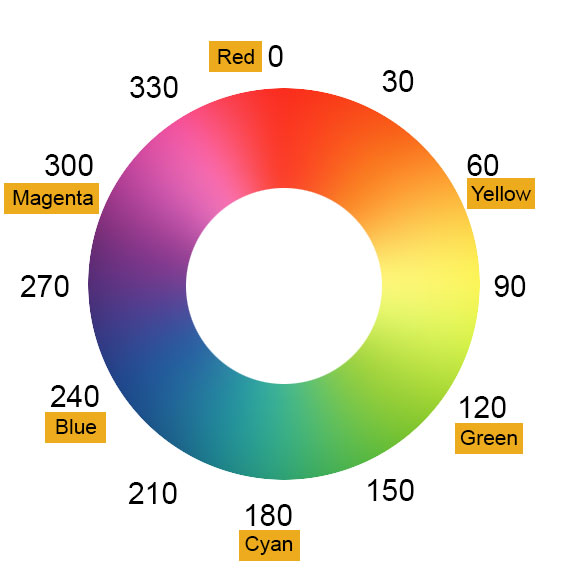
hsl() defines color using the HSL(A) model. It stands for hue, saturation and lightness.

| Property | Description |
|---|---|
| text-align-last | how to align the last line of a text |
| text-justify | how justified text should be aligned and spaced |
| text-overflow | how overflowed content that is not displayed should be signaled to the user |
| word-break | Specifies line breaking rules for non-CJK scripts |
| word-wrap | Allows long words to be able to be broken and wrap onto the next line |
| | writing-mode |Specifies whether lines of text are laid out horizontally or vertically|
© 2021