In HTML, link types indicate the relationship between two documents, in which one links to the other using an <a>, <area>, <form>, or <link> element.
- Use the
<a>element to define a link. - Use the href attribute to define the link address.
- Use the target attribute to define where to open the linked document.
- Use the
<img>element (inside<a>) to use an image as a link - Use the mailto: scheme inside the href attribute to create a link that opens the user's email program.
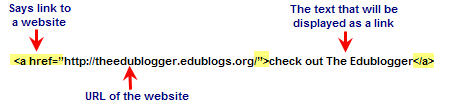
For more information about Links Types 🙂
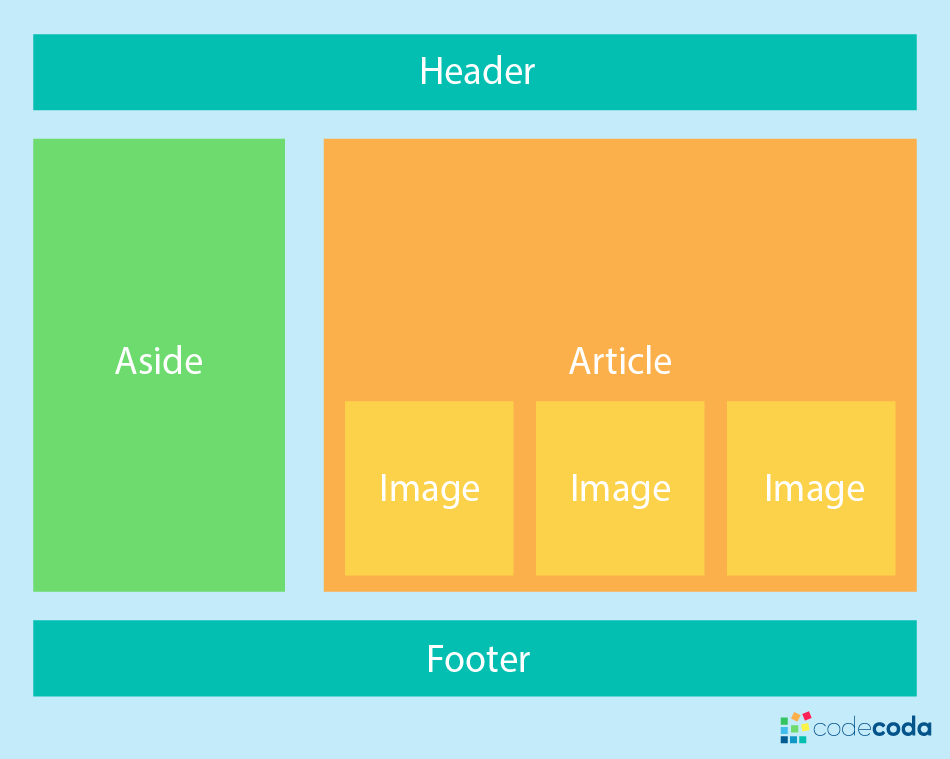
Normal Flow : Elements on web pages lay themselves out according to normal flow - until we do something to change that.
Flexbox: It is a one-dimensional layout method for laying out items in rows or columns. Items flex to fill additional space and shrink to fit into smaller spaces.
Grids: It is a two-dimensional layout system for the web. It lets you lay content out in rows and columns, and has many features that make building complex layouts straightforward.
Floats: Originally for floating images inside blocks of text, the float property became one of the most commonly used tools for creating multiple column layouts on web pages.
Positioning: Positioning allows you to take elements out of the normal document layout flow, and make them behave differently, for example sitting on top of one another, or always remaining in the same place inside the browser viewport.
Multiple-column layout: The multiple-column layout specification gives you a method of laying content out in columns, as you might see in a newspaper.
Legacy layout methods: Grid systems are a very common feature used in CSS layouts, and before CSS Grid Layout they tended to be implemented using floats or other layout features.
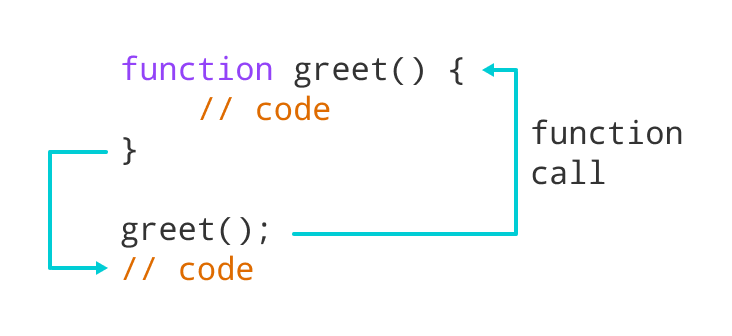
It helps us group a series of statements together to perform specific tasks. you can reuse the function rather than repeating the same set of statements.
A JavaScript function is defined with the function keyword, followed by a name, followed by parentheses ().
Function names can contain letters, digits, underscores, and dollar signs (same rules as variables).
The parentheses may include parameter names separated by commas: (parameter1, parameter2, ...)
The code to be executed, by the function, is placed inside curly brackets: {}
Function parameters are listed inside the parentheses () in the function definition.
Function arguments are the values received by the function when it is invoked.
Inside the function, the arguments (the parameters) behave as local variables.
To know the reason you should remember that when using an if/else if block, only ONE of the statements will be run, even if there are multiple statements that are true. The same can not be said for multiple if statements; they will run if true no matter what.
Pair programming touches on all four skills: developers explain out loud what the code should do, listen to others’ guidance, read code that others have written, and write code themselves.
- Greater efficiency.
- Sharing Post.
- Learning from fellow students.
- Social skills.
- Prepare for the job interview.
- Readiness of the work environment.
© 2021