You signed in with another tab or window. Reload to refresh your session.You signed out in another tab or window. Reload to refresh your session.You switched accounts on another tab or window. Reload to refresh your session.Dismiss alert
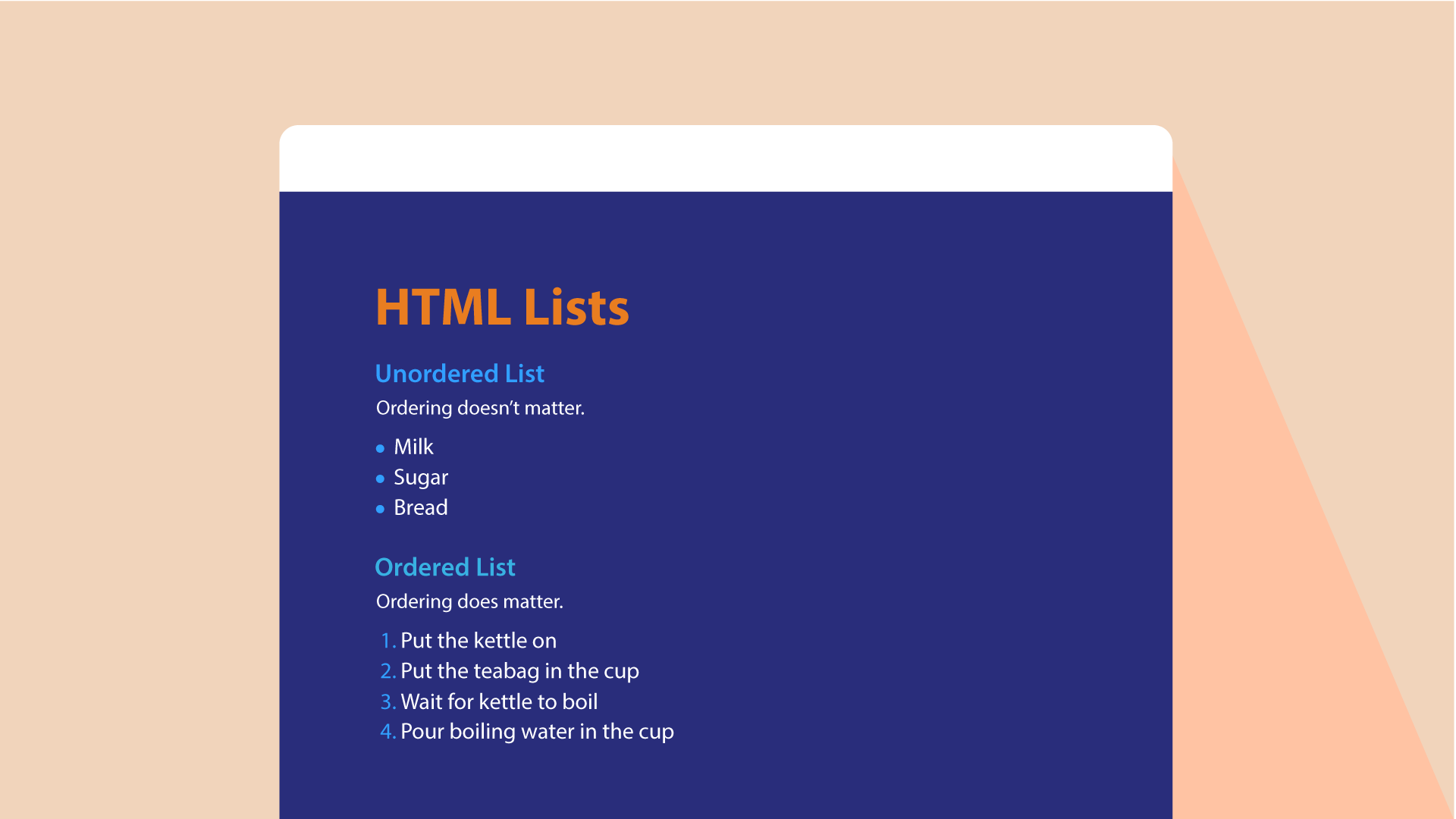
Ordered lists are lists where each item in the list is numbered
Unordered lists are lists that begin with a bullet point (rather than characters that indicate order).
Definition lists are made up of a set of terms along with the definitions for each of those terms.
 Ordered Lists
 < ol>The ordered list is created with the < ol> element.
 < li>Each item in the list is placed between an opening < li > tag and a closing < /li > tag.(The listands for list item.)
 Unordered Lists
 < ul>The unordered list is created with the <ul> element.
 < li>Each item in the list is placed between an opening <li> tag and a closing < /li> tag. (The listands for list item.)
Definition List
< ul> The unordered list is created with the <ul> element. < li> Each item in the list is placed between an opening < li> tag and a closing < / li> tag.(The listands for list item.)
< dt>
This is used to contain the term being defined (the definition term).
< dd>
This is used to contain the
definition
Box Dimension
Width, Height
By default a box is sized just big enough to hold its contents. To set your own dimensions for a box you can use the height and width properties
Limiting Width
min-width, max-width
Some page designs expand and shrink to fit the size of the user's screen. In such designs,the min-width property specifies the smallest size a box can be displayed at when the browser window is narrow, and the max-width property indicates the maximum width a box can stretch to when the browser window is wide
Limiting Height
In the same way that you might want to limit the width of a box on a page, you may also want to limit the height of it. This is achieved using the min-height and max-height properties.
Overflowing Content
overflow
The overflow property tells the browser what to do if the content contained within a box is larger than the box itself. It can have one of two values:
Type 1
Description
Hidden
This property simply hides any extra content that does not fit in the box
SCroll
This property adds a scrollbar to the box so that users can scroll to see the missing content.
Border, Margin & Padding
Border
Every box has a border (even if it is not visible or is specified to be 0 pixels wide). The border separates the edge of one box from another
Margin
Margins sit outside the edge of the border. You can set the width of a margin to create a gap between the borders of two adjacent boxes.
Padding
Padding is the space between the border of a box and any content contained within it. Adding padding can increase the readability of its contents.
Borders Type
Border Command
Width
border-width
Style
border-style
Color
border-color
Type
Command
padding
top - bottom - left - right
Margin
top - bottom - left - right
Arrays
An array is a special type of variable. It doesn't just store one value; it stores a list of values.
You can create it by using the var follwoed with the name of the array
An array is a special type of variable. It doesn't just store one value; it stores a list of values.
IF ELSE Statement
it checks a condition. if it resolves to true the first code block is excuted else it resolves to false the second code block.
When we use IF and Else
Here you can see that an if ... e1se statement allows you to provide two sets of code:
one set if the condition
evaluates to true
another set if the condition is
false
Switch Statements
A switch statement starts with a variable called the switch value. Each case indicates a possible value for this variable and the code that should run if the variable matches that value.
Using of Switch Statement
1.TYPE COERCION & WEAK TYPING
2.TRUTHY & FALSY VALUES
3.CHECKING EQUALITY & EXISTENCE
4.SHORT CIRCUIT VALUES
Loops
For to run code a specific numbers of time.
While if you don't know how many to use it.
Do While Very Similar to the while but it will always run the statements inside the curly braces