- Ordered lists
ordered list is created with the
<ol>element and use number for the list every item is placed in a list with opening tag<li>and closing tag</li>
<ol>
<li>first</li>
<li>second</li>
<li>third</li>
</ol>
and the result
- first
- second
- third
- Unordered lists
unordered list is created with the
<ul>element and use bullets for the list every item is placed in a list with opening tag<li>and closing tag</li>
<ul>
<li>first</li>
<li>second</li>
<li>third</li>
</ul>
and the result
- first
- second
- third
- Definition lists
The definition list is created with the
element and we used it to define terminology Inside the
element we use
- and
- elements.
- Control the dimensions of the box
By default a box is sized just big enough to hold its contents. To set your own dimensions for a box you can use the height and width properties we can use pixels, percentages, or ems to specify the size of a box
- Overflowing Content
The overflow property tells the browser what to do if the content contained within a box is larger than the box itself. It can have one of two values :
- hidden : This property simply hides any extra content that does not fit in the box
- scroll : This property adds a scrollbar to the box so that users can scroll to see the missing content
- Border, Margin and Padding
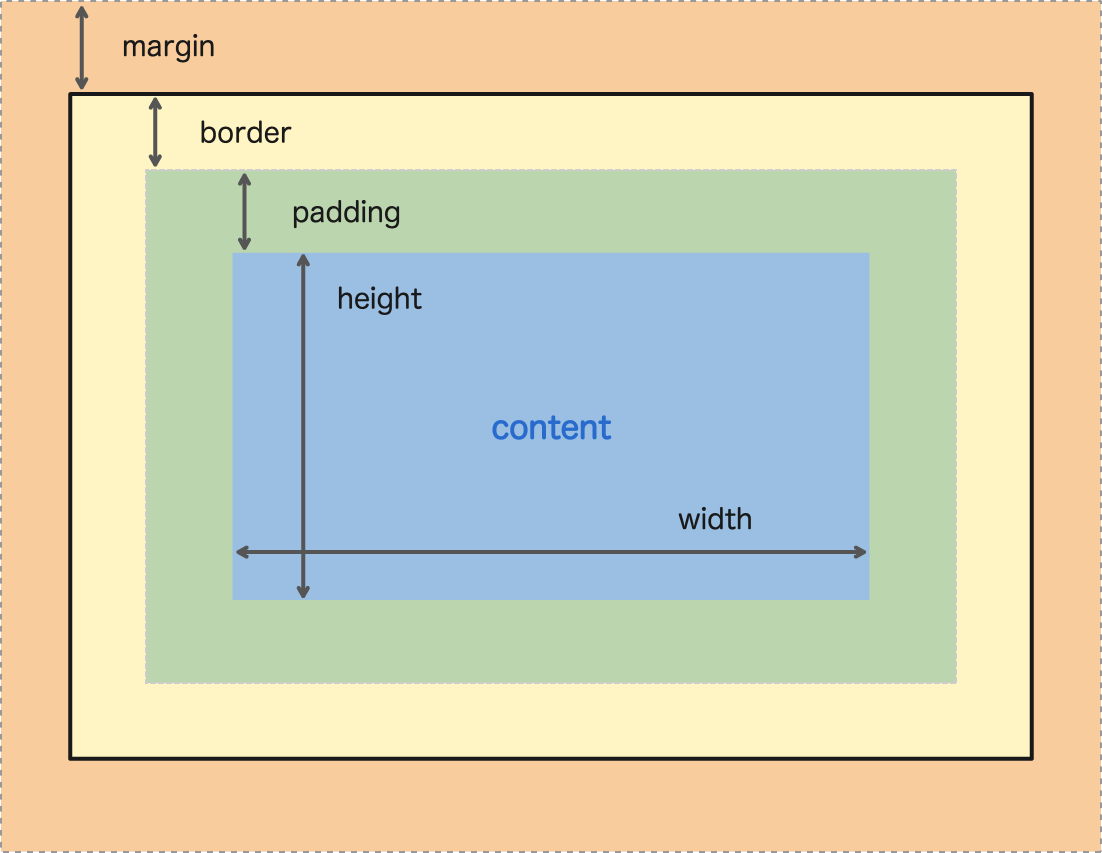
- Border : every box has a border that separates the edge of one box from another
- Margin : sit outside the edge of the border
- Padding : is the space between the border of a box and any content contained within it
- we can control the style of the box using the
border-styleproperty and can take the following values:
solida single solid linedotteda series of square dotsdasheda series of short linesdoubletwo solid linesgrooveappears to be carved into the pageridgeappears to stick out from the pageinsetappears embedded into the pageoutset looks like it is coming out of the screenhidden / noneno border is shown
- we can specify the color of a border using either RGB values, hex codes or CSS color names
- we can center any content in the
HTMLusingCSSfor example :
center a box using the left-margin and right-margin to auto.
-
we can use
displayproperty allows you to turn an inline element into a block-level or block-level to inline -
CSS3 has introduced the ability to create image borders and rounded borders.
-
A script is made up of a series of statements. Each statement is like a step in a recipe that contain very precise instructions
-
Variables are used to temporarily store pieces of information used in the script
-
Arrays are special types of variables that store more than one piece of related information.
-
JavaScript distinguishes between numbers (0-9), strings (text), and Boolean values (true or false)
-
Expressions evaluate into a single value and rely on operators to calculate a value
- the if... else statement check a condition if it true will run the first code block if it false will run the second code block

- switch statement starts with a variable called the
switch value. Each case indicates a possible value for this variable and the code that should run if the variable matches that value.
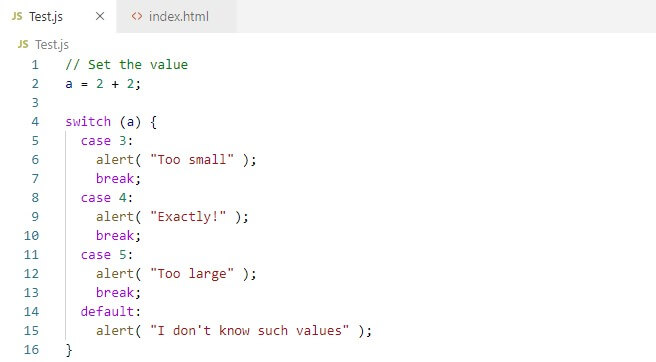
- the purpose of the switch statement is to present the user with a different message depending on which level they are at
- every value in JavaScript can be treated as if it were true or false
Falsy values are treated as if they are false. Truthy values are treated as if they are true. Almost everything that is not falsy can be treated as if it were true
-
All values evaluate to either
truthyorfalsy -
Logical operators are processed left to right. They short-circuit (stop) as soon as they have a result but they return the value that stopped the processing not necessarily true or false
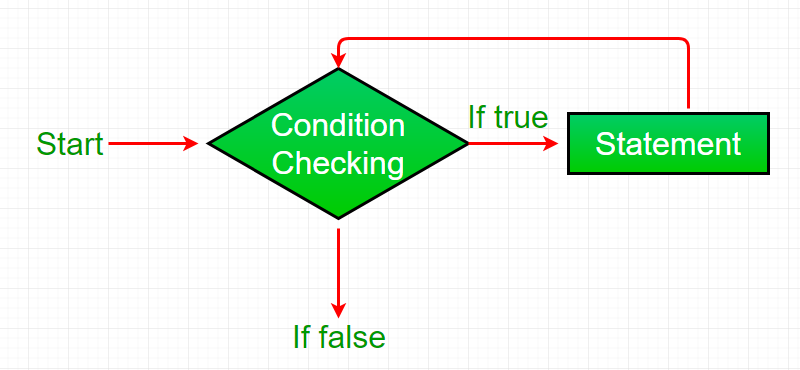
loops will check condition if it returns true a code block will run then the condition will be checked again and will run the code block again if its true and will not stop until the condition will returns a false
- type of loops
FORto run the code for a specific number of timeWHILEdont know how many times to run the code and will run as long the condition is trueDO WHILEits the same as WHILE loop but the difference it will always run the statements inside the curly bracket at lease one time
- Loop counters to run the code for a specified number of times