Skip to content

Latest commit


History

History
42 lines (36 loc) · 4.77 KB

File metadata and controls

42 lines (36 loc) · 4.77 KB

Introducing CSS

CSS allows you to create rules that specify how the content of an element should appear. For example, you can specify that the background of the page is cream, all paragraphs should appear in gray using the Arial typeface, or that all level one headings should be in a blue, italic, Times typeface.

Once you have learned how to write a CSS rule, learning CSS mostly involves learning the different properties you can use.:

CSS Associates Style rules with HTML elements

CSS works by associating rules with HTML elements. These rules govern how the content of specified elements should be displayed. A CSS rule contains two parts: a selector and a declaration.

  • This rule indicates that all

    elements should be shown in the Arial typeface.

  • Selectors indicate which element the rule applies to. The same rule can apply to more than one element if you separate the element names with commas.
  • Declarations indicate how the elements referred to in the selector should be styled. Declarations are split into two parts (a property and a value), and are separated by a colon.
Color

Color can really bring your pages to life.

Foreground Color

the color property allows you to specify the color of text inside an element. You can specify any color in CSS in one of three ways:

  • rgb values: These express colors in terms of how much red, green and blue are used to make it up. For example: rgb(100,100,90)

  • hex codes: These are six-digit codes that represent the amount of red, green and blue in a color, preceded by a pound or hash # sign. For example: #ee3e80

  • color names: There are 147 predefined color names that are recognized by browsers. For example: DarkCyan

Contrast

When picking foreground and background colors, it is important to ensure that there is enough contrast for the text to be legible.

low contrast:

Text is harder to read whenthere is low contrast between background and foreground colors. A lack of contrast is particularly a problem for those with visual impairments and color blindness. It also affects those with poor monitors and sunlight on their screens (which is increasingly common as people use handheld devices outdoors).

high contrast:

Text is easier to read when there is higher contrast between background and foreground colors. If you want people to read a lot of text on your page, however, then too much contrast can make it harder to read, too.

medium contrast:

For long spans of text, reducing the contrast a little bit improves readability. You can reduce contrast by using dark gray text on a white background or an off-white text on a dark background.

CSS3: Opacity opacity, rgba

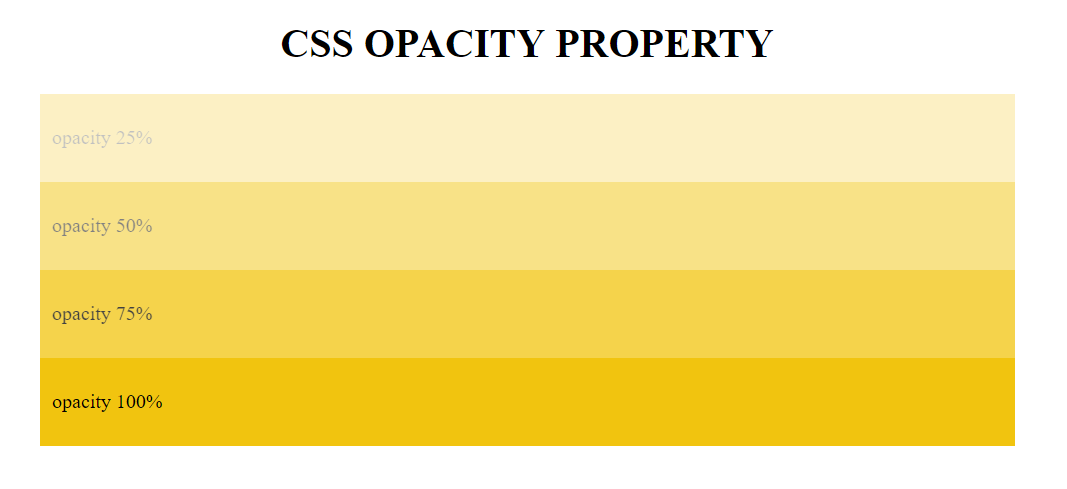
CSS3 introduces the opacity property which allows you to specify the opacity of an element and any of its child elements. The value is a number between 0.0 and 1.0 (so a value of 0.5 is 50% opacity and 0.15 is 15% opacity). The CSS3 rgba property allows you to specify a color, just like you would with an RGB value, but adds a fourth value to indicate opacity. This value is known as an alpha value and is a number between 0.0 and 1.0 (so a value of 0.5 is 50% opacity and 0.15 is 15% opacity). The rgba value will only affect the element on which it is applied (not child elements). Because some browsers will not recognize RGBA colors, yo can offer a fallback so that they display a solid color. If there are two rules that apply to the same element, the latter of the two will take priority. To create the fallback, you can specify a color as a hex code, color name or RGB value, followed by the rule that specifies an RGBA value. If the browser understands RGBA colors it will use that rule. If it doesn't, it will use the RGB value.

opacity

At the time of writing, the opacity and rgba properties are only supported by the most recent browsers.

CSS: HSL Colors

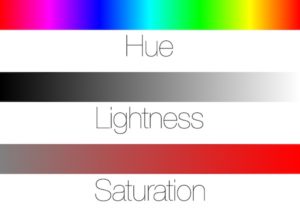
CSS introduces an entirely new and intuitive way to specify colors using hue, saturation, and lightness values.

hue

Hue is the colloquial idea of color. In HSL colors, hue is often represented as a color circle where the angle represents the color, although it may also be shown as a slider with values from 0 to 360.

saturation

Saturation is the amount of gray in a color. Saturation is represented as a percentage. 100% is full saturation and 0% is a shade of gray.

lightness

Lightness is the amount of white (lightness) or black (darkness) in a color. Lightness is represented as a percentage. 0% lightness is black, 100% lightness is white, and 50% lightness is normal. Lightness is sometimes referred to as luminosity.

hueSatLightness