- This is the most powerful software taking into account the CIS location.
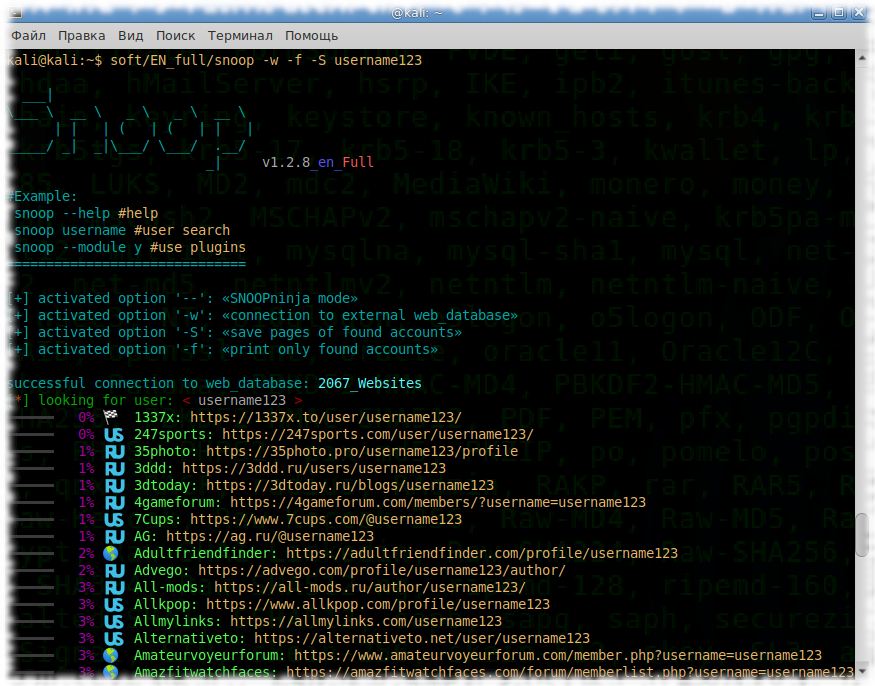
Is your life slideshow? Ask Snoop.
Snoop project is developed without taking into account the opinions of the NSA and their friends,
that is, it is available to the average user.
Snoop is a research dev-work (own database/closed bugbounty) in the search and processing of public data on the Internet. According to Snoop's specialized search, it is capable of competing with traditional search engines.
Comparison of indexations of databases such tools:





| Platform | Support |
|---|---|
 GNU/Linux GNU/Linux |
✅ |
 Windows 7/10 (32/64) Windows 7/10 (32/64) |
✅ |
 Android (Termux) Android (Termux) |
✅ |
 macOS macOS |
❗️ |
 IOS IOS |
🚫 |
 WSL WSL |
🚫 |
Snoop Local database
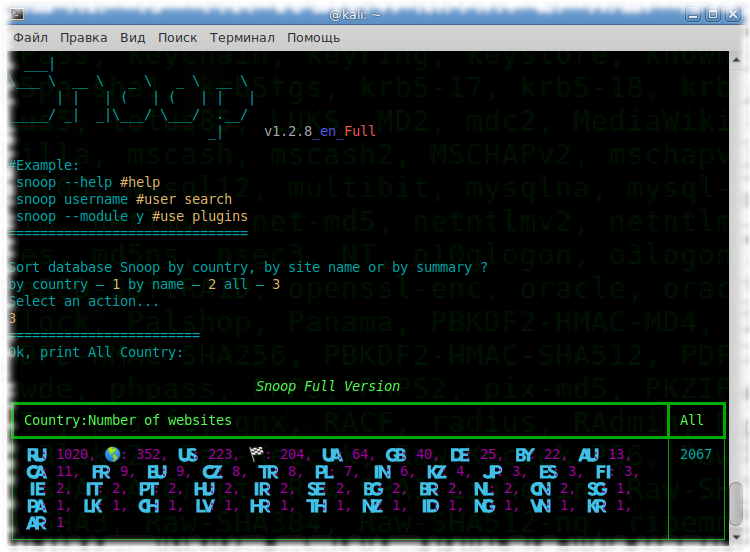
Snoop Full version database 2700+ websites ⚡️⚡️⚡️

⬇️snoop_cli.exe (for Windows) and snoop_cli (for GNU/Linux)
Download Snoop Project
Snoop comes with ready-made assemblies (release) and does not require dependencies (libraries) or python3 installation, that is, it runs on a clean machine with OS Windows or GNU/Linux.
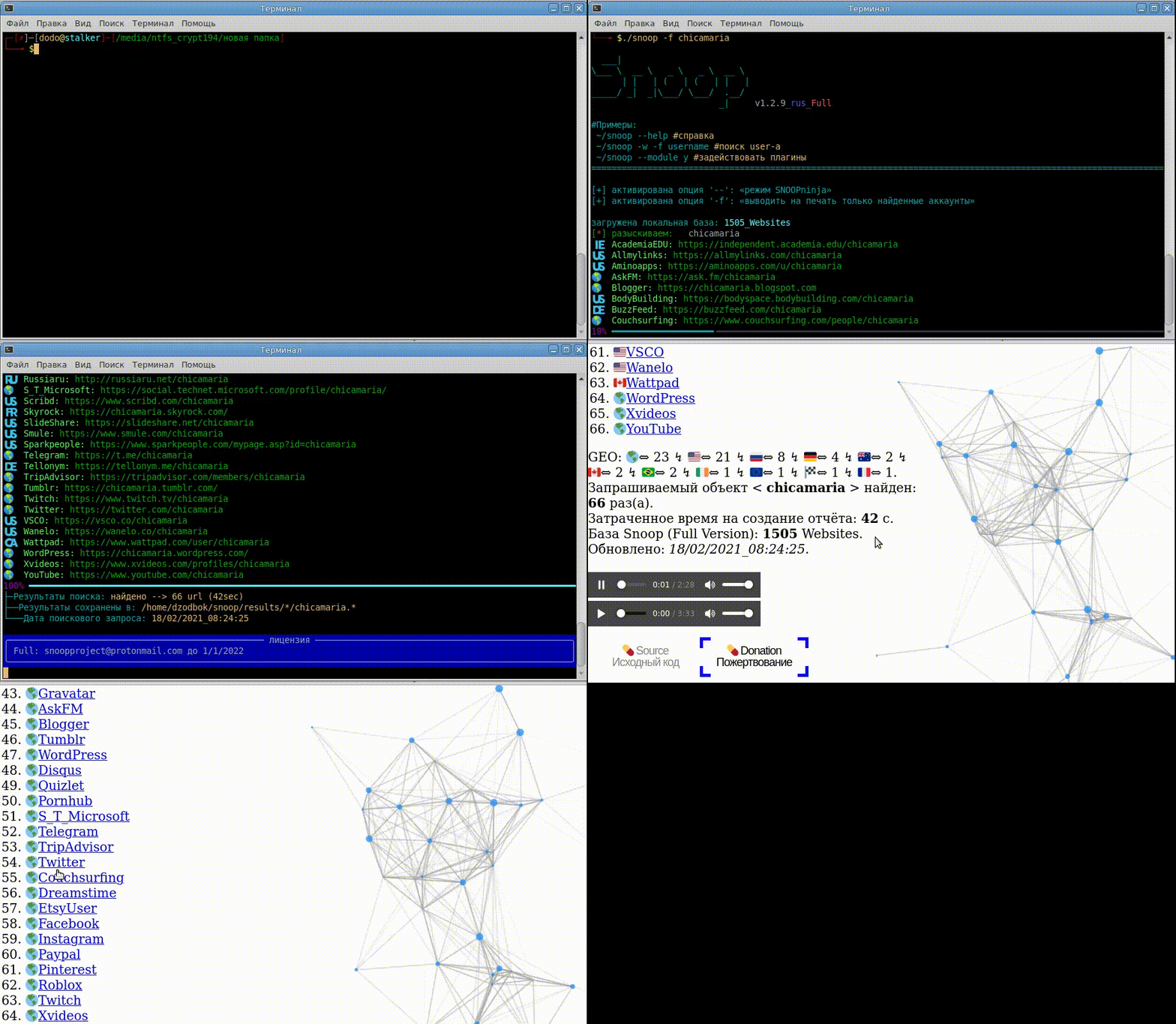
🟣 Snoop Project Plugins

$$$$
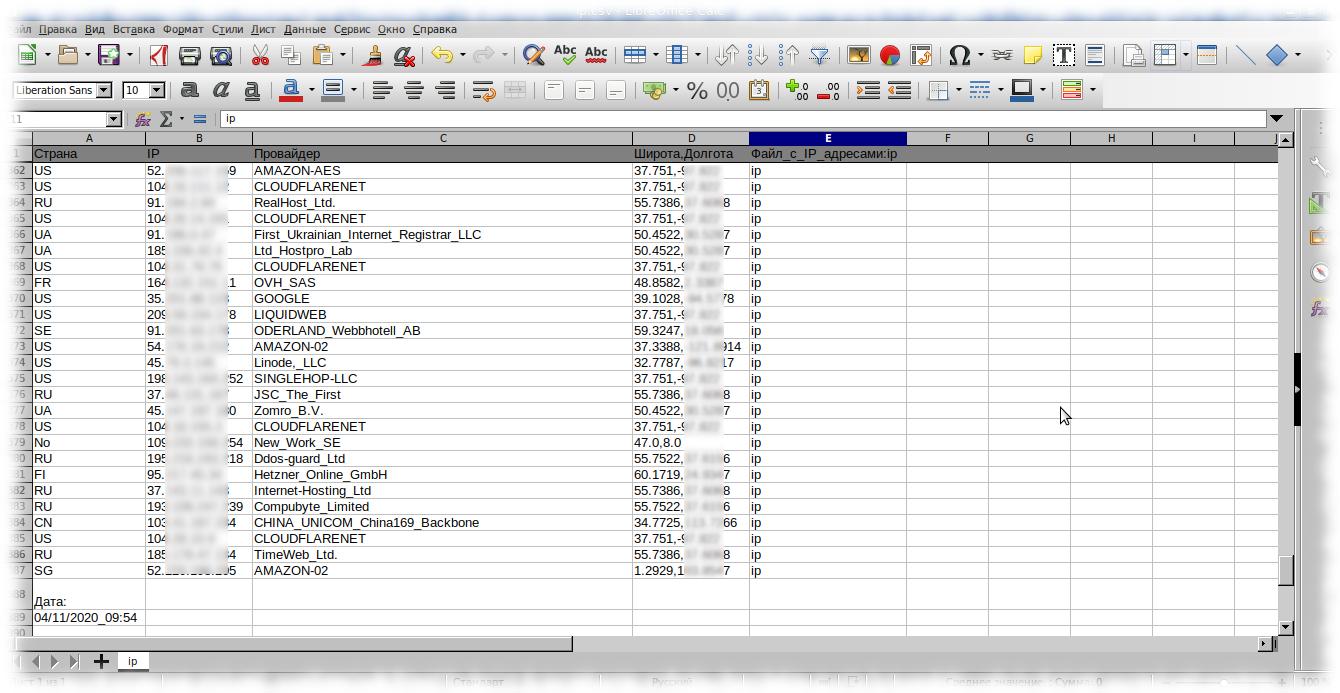
Reports are also available in csv/txt/CLI/maps
$$$$
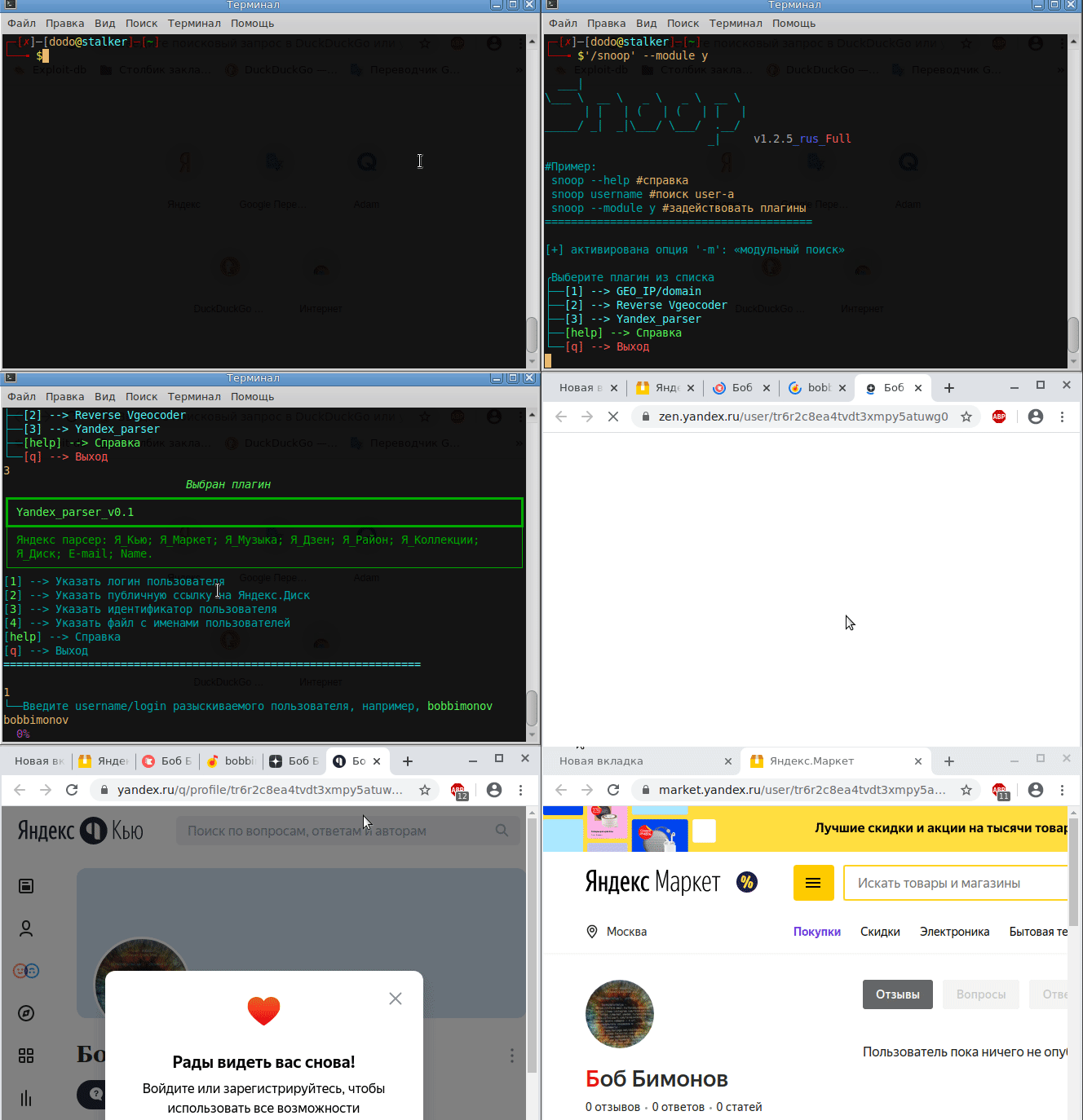
$$$$
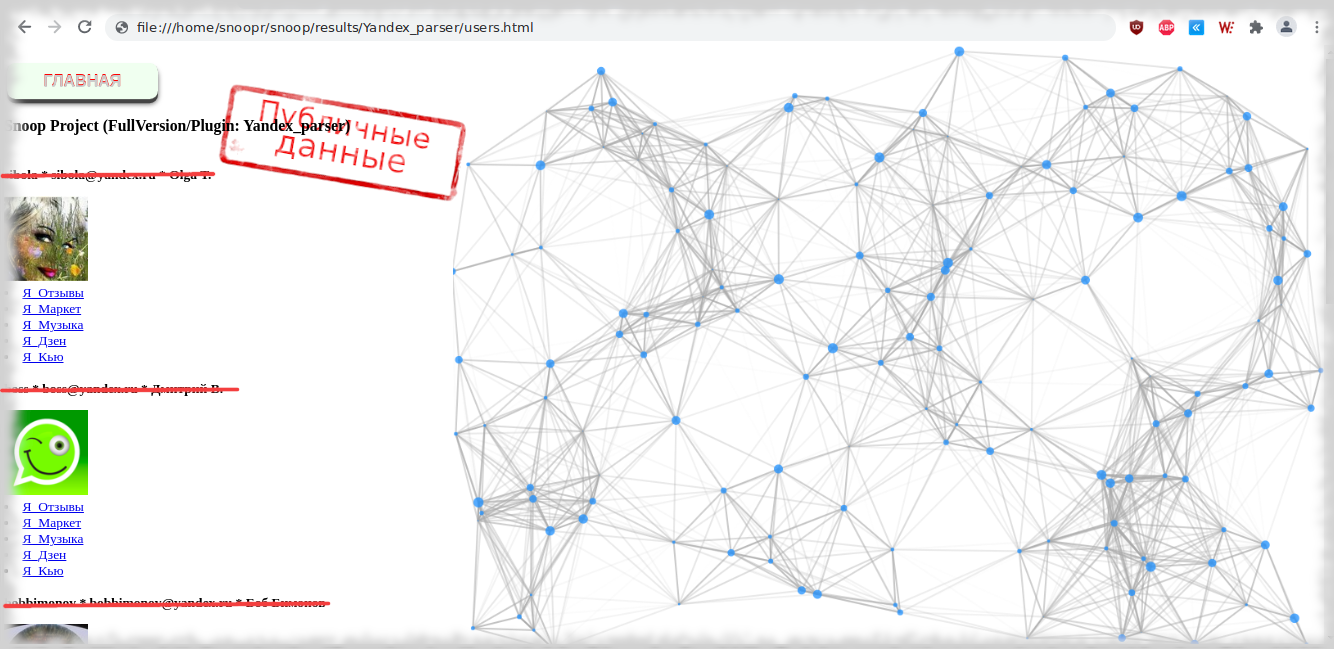
Search report dozen username (Plugin — Yandex_parser)
$$$$

🟤 Self-build software from source
Native Installation
- Note: don't do this if you want to install snoop on android/termux (installation is different, see dedicated section below for that).
- Note: the required version of Python 3.7+
# Clone the repository
$ git clone https://github.com/snooppr/snoop

# Log in to the working directory
$ cd ~/snoop

# Install python3 and python3-pip if they are not installed
$ apt-get update && apt-get install python3 python3-pip

# Install dependencies 'requirements'
$ pip install --upgrade pip
$ python3 -m pip install -r requirements.txt
# Or install all dependencies from 'requirements.txt' to manual through
$ pip install lib1 lib2...
# If instead of the flags of countries are displayed in special mixtures, deliver a font package, such as monochrome
$ apt-get install ttf-ancient-fonts or color apt-get install fonts-noto-color-emoji
# On Windows OS use CMD or PowerShell (to choose from convenience), but not ~~WSL~~!
🟢 Using
$ snoop_cli --help #manual snoop build version GNU/Linux

Help

optional arguments:
  -h, --help            show this help message and exit

service arguments:
  --version, -V         printing versions of :: OS; Snoop;
                        Python and Licenses
  --list-all, -l        Print detailed information about the
                        Snoop database
  --donate, -d          Donate to the development of the Snoop Project,
                        get/buy Snoop Full Version
  --autoclean, -a       Delete all reports, clear space
  --update, -U          Update Snoop

plugins arguments:
  --module, -m          OSINT search: use various plugins Snoop ::
                        IP/GEO/YANDEX

search arguments:
  nickname              The nickname of the wanted user.
                        Searching for several names at the same time is
                        supported. Nicknames containing a space in their name
                        are enclosed in quotation marks
  --verbose, -v         When searching for 'nickname', print detailed
                        verbalization
  --web-base, -w        Connect to search for 'nickname' to the updated web_DB
                        (2700+ websites). In demo version the function is disabled
  --site , -s <site_name>
                        Specify the name of the site from the database
                        '--list-all'. Search for 'nickname' on one specified
                        resource, it is acceptable to use the '-s' option
                        multiple times
  --exclude , -e <country_code>
                        Exclude the selected region from the search,
                        it is permissible to use the '-e' option several times,
                        for example, '-e RU -e WR' exclude Russia and World from search
  --include , -i <country_code>
                        Include only the selected region in the search,
                        it is permissible to use the '-i' option several times,
                        for example, '-i US -i UA' search for USA and Ukraine
  --country-sort, -c    Print and record_results' by country,
                        not alphabetically
  --time-out , -t <digit>
                        Set maximum time allocation for waiting for a response
                        from the server (seconds). Affects the search duration.
                        Affects 'Timeout errors:' On. this option is necessary
                        with a slow Internet connection (by default 9s)
  --found-print, -f     Print only found accounts
  --no-func, -n         ✓Monochrome terminal, do not use colors in url
                        ✓Disable sound ✓Disable opening web browser
                        ✓Disable printing of country flags
                        ✓Disable indication and progress status
  --userlist , -u <file>
                        Specify a file with a list of users. Snoop will
                        intelligently process the data and provide additional reports
  --save-page, -S       Save found user pages to local files
  --cert-on, -C         Enable verification of certificates on servers.
                        By default, certificate verification on servers is
                        disabled, which gives fewer errors and more results
                        when searching for nickname
  --headers , -H <User-Agent>
                        Set the user-agent manually, the agent is enclosed in
                        quotes, by default a random or overridden user-agent
                        from the snoop database is set for each site
  --quick, -q           Fast and aggressive search mode. Does not reprocess bad
                        resources, as a result of which the search is accelerated,
                        but Bad_raw also increases. Does not print intermediate results.
                        Consumes more resources. The mode is effective in full version
Example
# To search for only one user:
$ python3 snoop.py username1 #Running from source
$ snoop_cli username1 #Running from release linux
# Or, for example, Cyrillic is supported:
$ python3 snoop.py олеся #Running from source
# To search for a name containing a space:
$ snoop_cli "bob dylan" #Running from release linux
$ snoop_cli dob_dylan #Running from release linux
$ snoop_cli bob-dylan #Running from release linux

# Running on Windows OS:
$ python snoop.py username1 #Running from source
$ snoop_cli.exe username1 #Running from release win
# To search for one or more users:
$ snoop_cli.exe username1 username2 username3 username4 #Running from release win

# Search for a lot of users-sorting the output of results by country;
# avoiding freezes on websites (more often the "dead zone" depends on the user's ip address);
# print only found accounts; save pages of found accounts locally;
# specify a file with a list of wanted accounts;
# connect to the expandable and updated web-base Snoop for search:
$ snoop_cli -с -t 6 -f -S -u ~/file.txt -w #Running from release linux
# check the Snoop database:
$ snoop_cli --list all #Running from release linux
# print the help for Snoop functions:
$ snoop_cli --help #Running from release linux

# Enable Snoop plugins:
$ snoop_cli --module #Running from release linux
- 'ctrl-c' — abort search.
- The found accounts will be stored in
~/snoop/results/nicknames/*{txt|csv|html}. - Open csv in office in, field separator comma.
- Destroy all search results — delete the '~/snoop/results' directory.
orsnoop_cli.exe --autoclean #Running from release OS Windows.
# Update Snoop to test new features in the software
$ python3 snoop.py --update #Git installation is required
🔵 Snoop for Android
🔴 Basic errors in
| Side | Problem | Solving |
|---|---|---|
| ========= | ======================================================= | ======= |
| Client | Block the connection with proactive protection Firewall | 1 |
| Insufficient speed of the EDGE/3G Internet connection | 2 | |
| The value of the '-t' option is too low | 2 | |
| invalid username | 3 | |
| Connection errors: [GipsysTeam; RamblerDaing; Mamochki] | 7 | |
| Connection errors: [Virtualireland; Nixp; Ddo] | 7 | |
| ========= | ======================================================= | ======= |
| Provider | Internet Censorship | 4 |
| ========= | ======================================================= | ======= |
| Server | The site has changed its response/API; | 5 |
| CF/WAF has been updated | ||
| Blocking the client's IP address range by the server | 4 | |
| Triggering/protecting a captcha resource | 4 | |
| Some sites are temporarily unavailable, technical work | 6 | |
| ========= | ======================================================= | ======= |
Solving:
-
Reconfigure your Firewall (for example, Kaspersky blocks resources for adults).
-
Check the speed of your Internet connection:
python3 snoop.py -v username
If any of the network parameters are highlighted in red, Snoop may hang during the search.
At low speed, increase the 'x' value of the '--time-out x' option:
python3 snoop.py -t 15 username. -
In fact, this is not a mistake. Fix username
(for example, some sites do not allow Cyrillic characters; "spaces" or "Vietnamese-Chinese encoding" in user names, in order to save time: - requests are filtered). -
Change your IP address
Сensorship are the most common reasons why the user receives skip errors/false positives/and in some cases 'Alas'.
When using Snoop from the IP address of the mobile operator's provider, the speed may drop significantly, depending on the provider.
For example, the most effective way to solve the problem is TO USE A VPN, Tor is not very well suited for this task.
Rule: one scan from one ip is not enough to get the most out of Snoop. -
Open in the Snoop repository on Github-e Issue/Pull request
(inform the developer about this). -
Do not pay attention, sites sometimes go for repair work and return to operation.
-
There is problem with openssl in some GNU/Linux distributions, and also the problem with sites that haven't been updated in years. These problems occur if the user intentionally started snoop with the '--cert-on' option.
Solving:
$ sudo nano /etc/ssl/openssl.cnf

# Edit the lines at the very bottom of the file:
[MinProtocol = TLSv1.2]
on
[MinProtocol = TLSv1]

[CipherString = DEFAULT@SECLEVEL=2]
on
[CipherString = DEFAULT@SECLEVEL=1]
🟠 Additional information
• Project development history.
• License.
• Public key fingerprint: 076DB9A00B583FFB606964322F1154A0203EAE9D.
• Information for civil servants/RU: Snoop Project is included in the register of domestic software with the declared code: 26.30.11.16 Software that ensures the implementation of established actions during operational search activities. Order of the Ministry of Communications of the Russian Federation No. 515 registered No. 7012.
• Snoop is not perfect: web sites are falling; closing tags are missing; hosting services are not paid on time.
From time to time, it is necessary to follow all this "Web rock' n 'roll", so donations are welcome:
example close/bad websites.
• Visualization of commits: from the birth of the project to Friday the thirteenth, 2023.
2.mp4
【RU -> EN】 This is a translated ➰Readme in Russian.