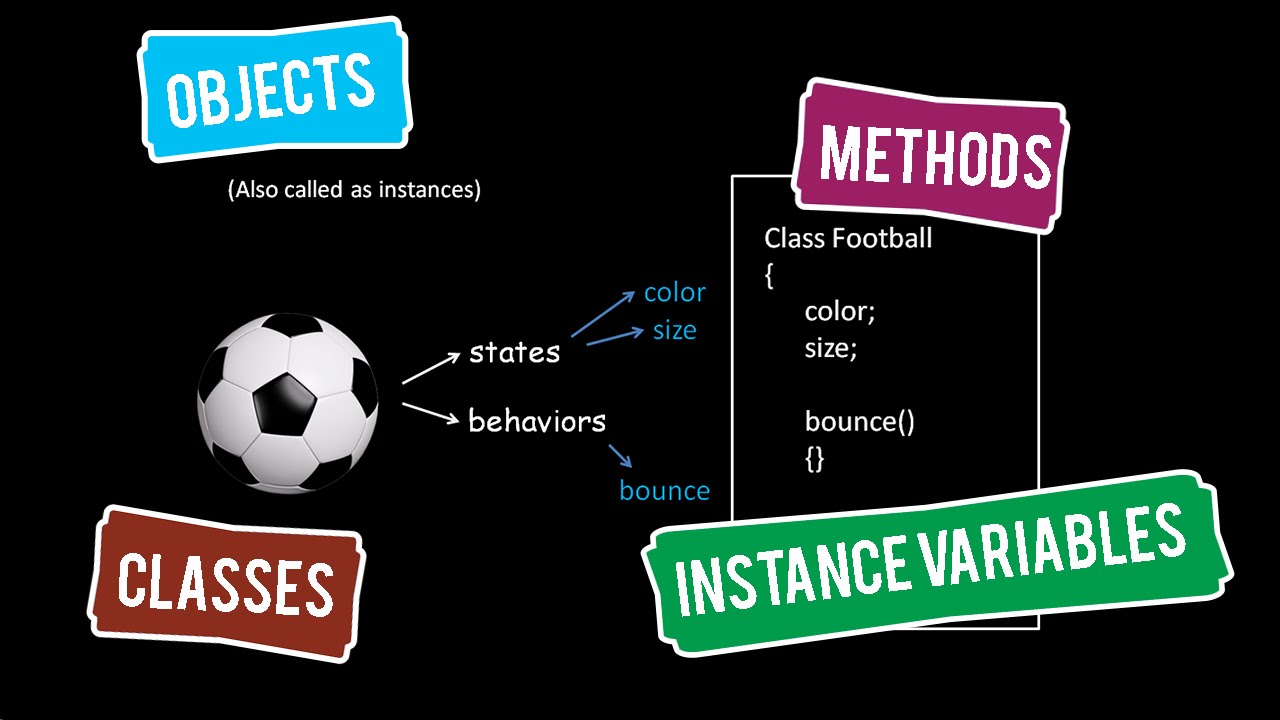
- Object group together a set of variables and functions to create a model of a something you would recognize from the real world. In an object, variables and functions take on new names.
- If a variable is part of an object, it is called a property. Properties te ll us about the object, such as the name of a hotel or the number of rooms it has. Each individual hotel might have a different name and a different number of rooms.
- If a function is part of an object, it is called a method.Methods represent tasks that are associated with the object. For example, you can check how many rooms are available by subtracting the number of booked rooms from the total number of rooms.
- properties and methods have a name and a value.
1.** The Document Object Model** (DOM) specifies how browsers should create a model of an HTML page and how JavaScript can access and update the contents of a web page while it is in the browser window.
-
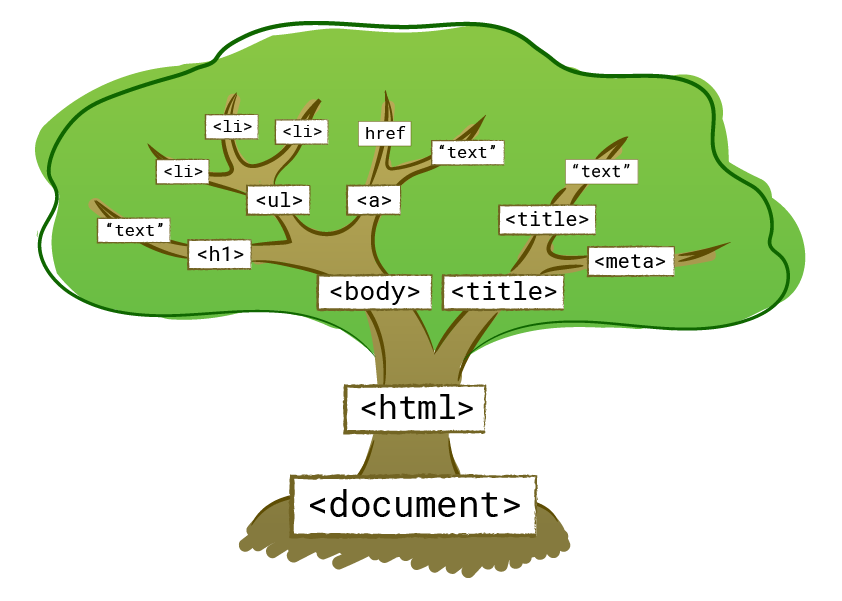
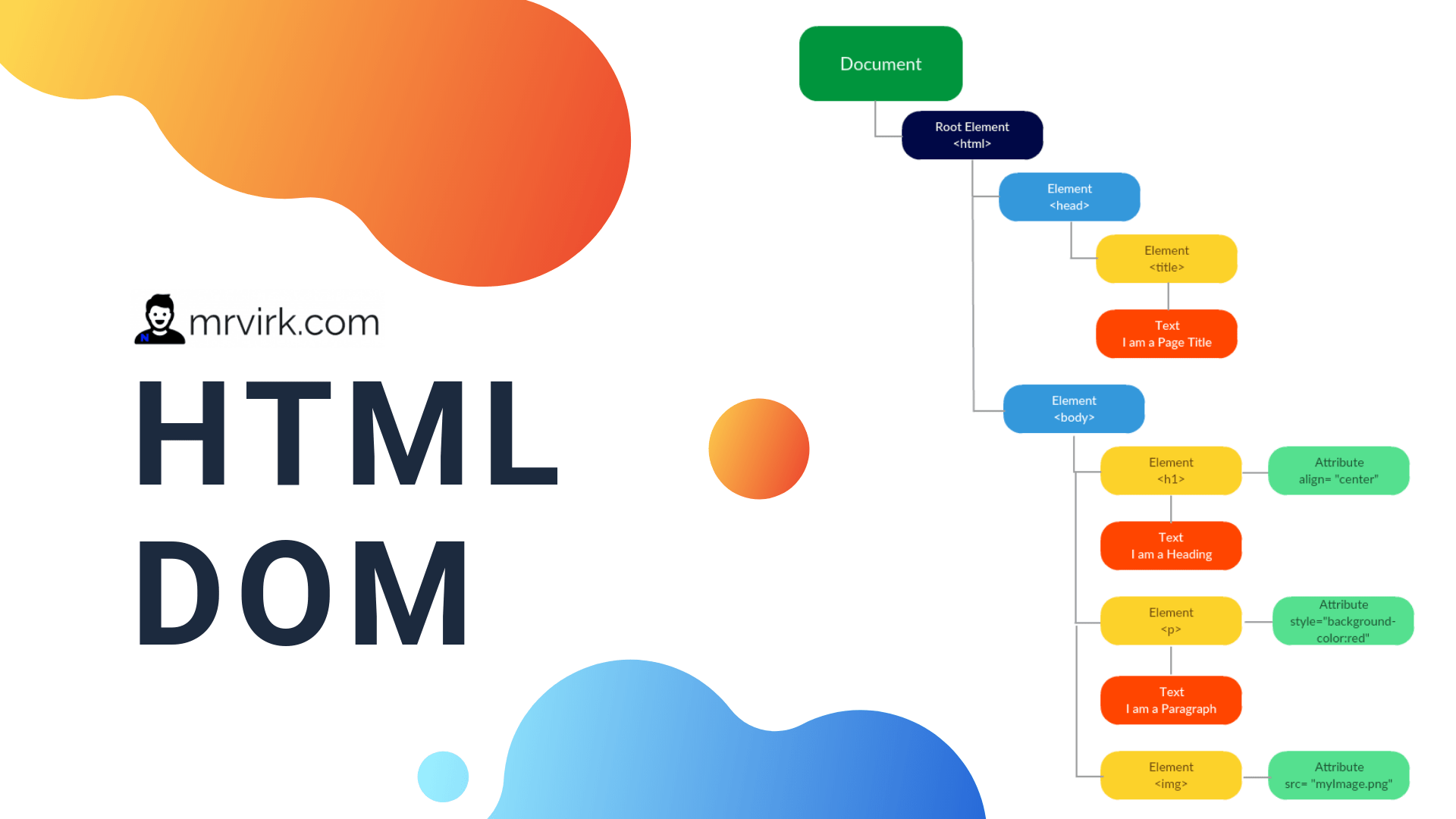
The DOM specifies the way in which the browser should structure this model using a DOM tree.
-
The DOM is called an object model because the model (the DOM tree) is made of objects.
4.** Each object represents** a different part of the page loaded in the browser window.
- Application Programming Interface (API). User interfaces let humans interact with programs; APls let programs (and scripts) talk to each other.
6.** Each node is an object with methods and properties**.
- The Document Node it represents the entire page.
- Element Nodes HTML elements describe the structure of an HTML page. (The -
- Attribute Nodes The opening tags of HTML elements can carry attributes and these are represented by attribute nodes in the DOM tree. Attribute nodes are not children of the element that carries them; they are part of that element
- Text Nodes Once you have accessed an element node, you can then reach the text within that element. This is stored in its own text node.
- Locate the node that represents the element you want to work with.
- Use its text content, child elements, and attributes.
** 1. Select an Individual Element Node :**
- getElementByld ('id') Uses the value of an element's id attribute (which should be unique within the page).
- querySelector('css selector') Uses a CSS selector, and returns the first matching element.
2. Select Multiple Elements (Nodelists):
- getElementsByClassName('class') Selects all elements that have a specific value for their class attribute.
- getElementsByTagName('tagName') Selects all elements that have the specified tag name .
- querySelectorAll('css selector')Uses a CSS selector to select all matching elements.
3.Traversing Between Element Nodes :
- parentNode Selects the parent of the current element node (which will return just one element).
- previousSibl ing / nextSibl ing Selects the previous or next sibling from the DOM tree.
- firstChild / lastChild Select the first or last child of the current element.
1. Access/Update Text Nodes :
- nodeValue This property lets you access or update contents of a text node.
2. Work With Html Content :
- innerHTML One property allows access to child elements and text content:
- textContent just the text content.
- create Element() , createTextNode() ,appendChild () / removeChild ()Several methods let you create new nodes, add nodes to a tree, and remove nodes from a tree.
4. Access or Update Attribute Values :
- hasAttribute() checks if an attribute exists.
- getAttribute() gets its value.
- setAttribute()updates the value.
- removeAttribute() removes an attribute.