A SCRIPT IS A SERIES OF INSTRUCTIONS
- DEFINE THE GOAL
- DESIGN THE SCRIPT
- CODE EACH STEP
Every step for every task shown in a flowchart needs to be written in a language the computer can understand and follow. you need to get to grips with the: • Vocabulary: The words that computers understand • Syntax: How you put those words together to create instructions computers can follow

Each object can have its own: • Properties • Events • Methods
**PROPERTIES ** Properties describe characteristics of the current web page (such as the title of the page). **METHODS ** Methods perform tasks associated with the document currently loaded in the browser (such as getting information from a specified element or adding new content). **EVENTS ** You can respond to events, such as a user clicking or tapping on an element.
- Conditional statements allow your code to make decisions about what to do next.
- Comparison operators (===, ! ==, ==, ! =, <, >, <=, =>)
- Logical operators allow you to combine more than one set of comparison operators.
- All values evaluate to either truthy or falsy.
The Document Object Model (DOM) specifies how browsers should create a model of an HTML page and how JavaScript can access and update the contents of a web page while it is in the browser window.
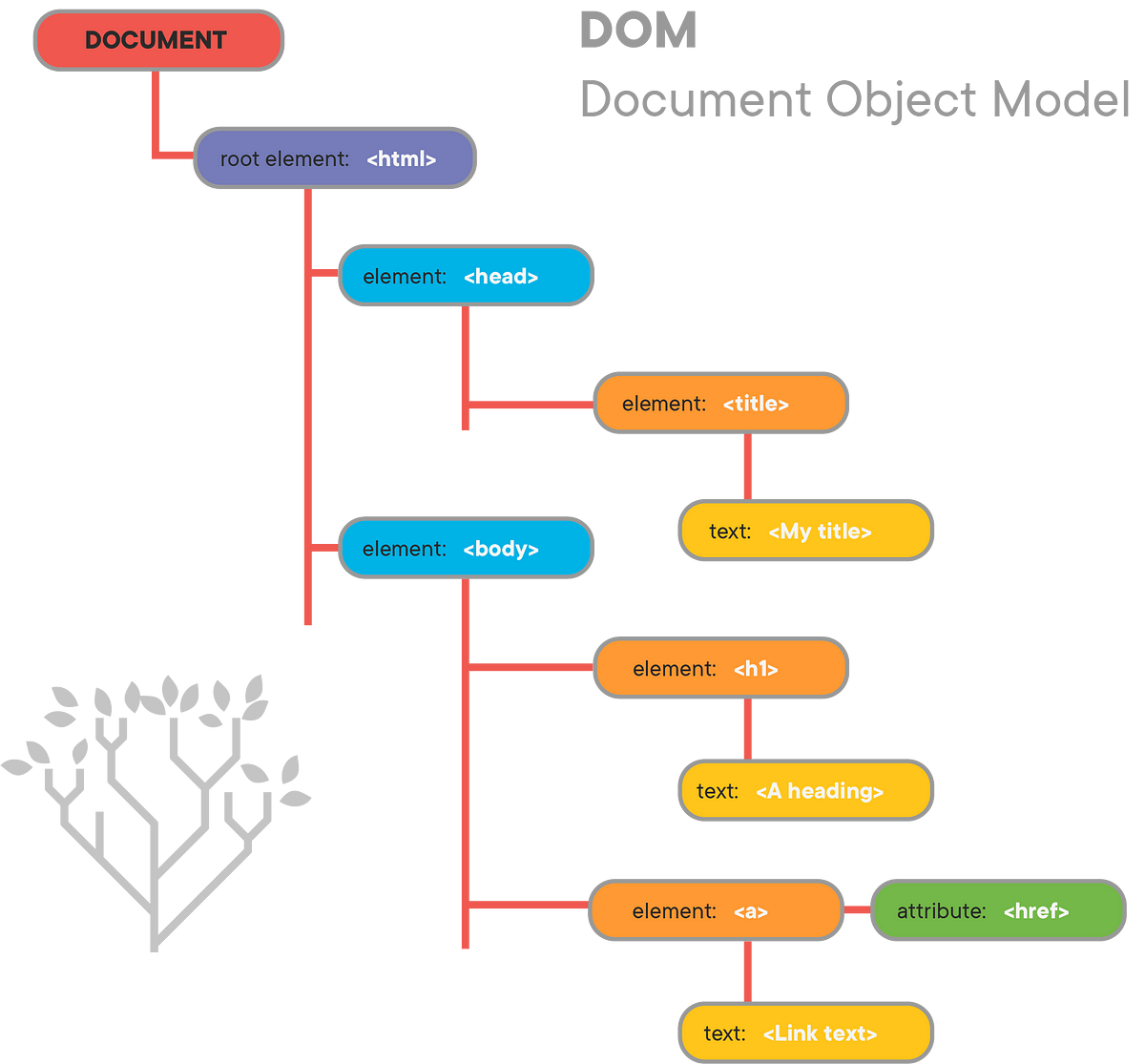
Accessing and updating the DOM tree involves two steps:
- Locate the node that represents the element you want to work with.
- Use its text content, child elements, and attributes.
-
APls are used in browsers, scripts, and by websites that share functionality with other programs or sites.
-
there are two different types of scripts whose code you can make use of when you have learned their API: • A set of jQuery plugins known as jQuery UI. • A script that makes it easier to create web apps called Angular JS
-
To use an API on your website, you will need to include a script in the relevant web pages.
-
Providing you know how to create an object and call its methods, access its properties, and respond to its events.
The first two execution contexts correspond with the notion of scope
- Q GLOBAL SCOPE If a variable is declared outside a function, it can be used anywhere because it has global scope. If you do not use the var keyword when creating a variable, it is placed in global scope.
- FUNCTION-LEVEL SCOPE When a variable is declared within a function, it can only be used within that function. This is because it has function-level scope.
Each time a script enters a new execution context, there are two phases of activity:
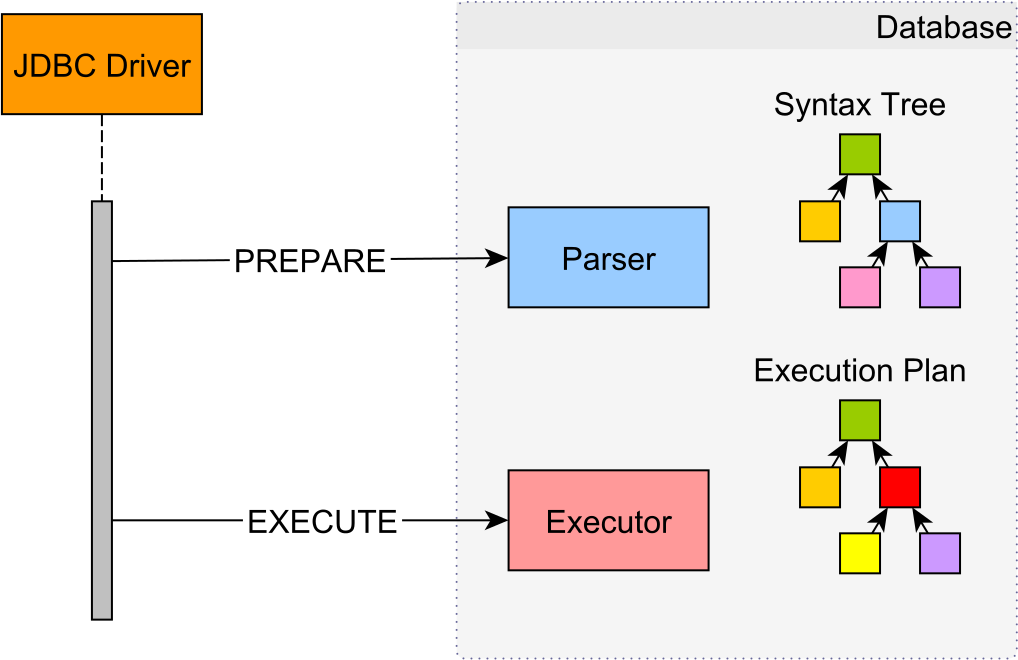
- PREPARE • The new scope is created • Variables, functions, and arguments are created • The value of the this keyword is determined 2.** EXECUTE** • Now it can assign values to variables • Reference functions and run their code • Execute statements