This channel is mainly developed for custom file transfers, that are not supported by default at the moment like binary sftp (only ASCII supported at the moment). With the winscp dll and exe file, we can now support
- FTP
- SFTP
- S3
- WebDav
- SCP (SSH)
with many options to setup in the code.
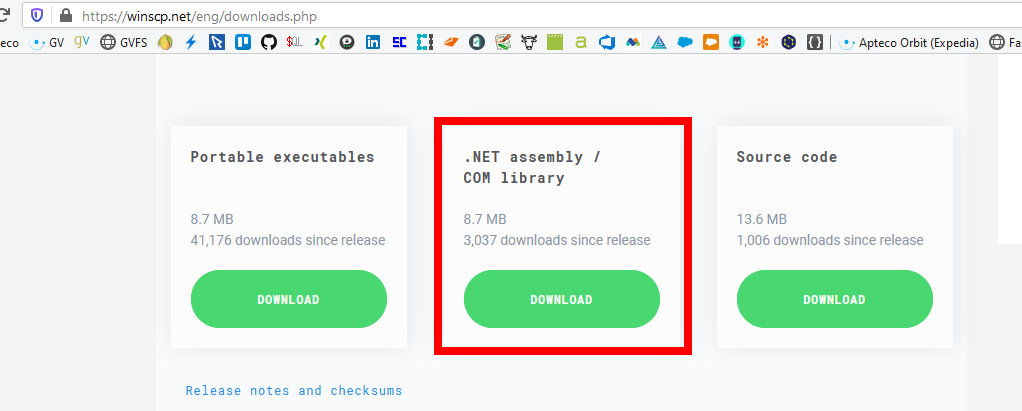
- Please make sure to download these files first from: https://winscp.net/eng/downloads.php
- Need to be finished and tested when needed
Steps to install.
-
Download all files of the folder and below.
-
Put these files on your Apteco app server somewhere like
D:\Scripts\SQLServer\winscp\ -
From the downloaded file from winscp, please put
WinSCP.exeWinSCPnet.dllin thelibfolder -
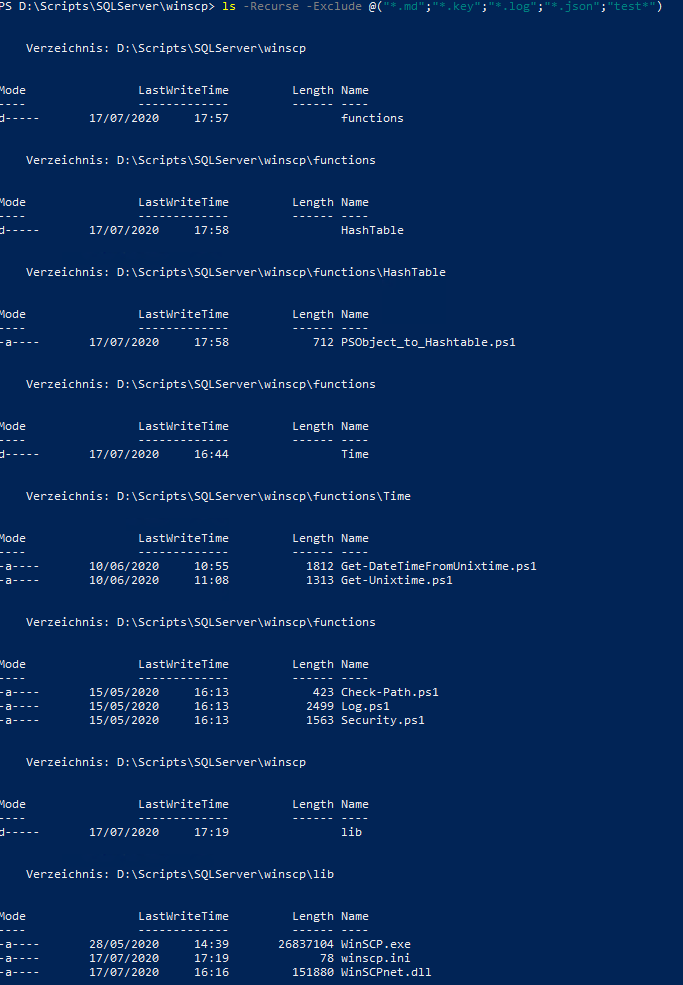
Until these steps you should have those files in such a folder/file structure:
-
Add this part between the
...to your extras.xml (and maybe change the paths in there)
<Extras>
...
  <UploadWithWinSCP>
    <runcommand>
      <command>powershell.exe</command>
      <arguments>-ExecutionPolicy Bypass -File "D:\Scripts\SQLServer\winscp\winscp__21__extras_wrapper.ps1" -fileToUpload "{%directory%}{%filename%}.{%ext%}" -scriptPath "D:\Scripts\SQLServer\winscp"</arguments>
      <workingdirectory>D:\Scripts\SQLServer\winscp</workingdirectory>
      <waitforcompletion>true</waitforcompletion>
    </runcommand>
  </UploadWithWinSCP>
...
</Extras>
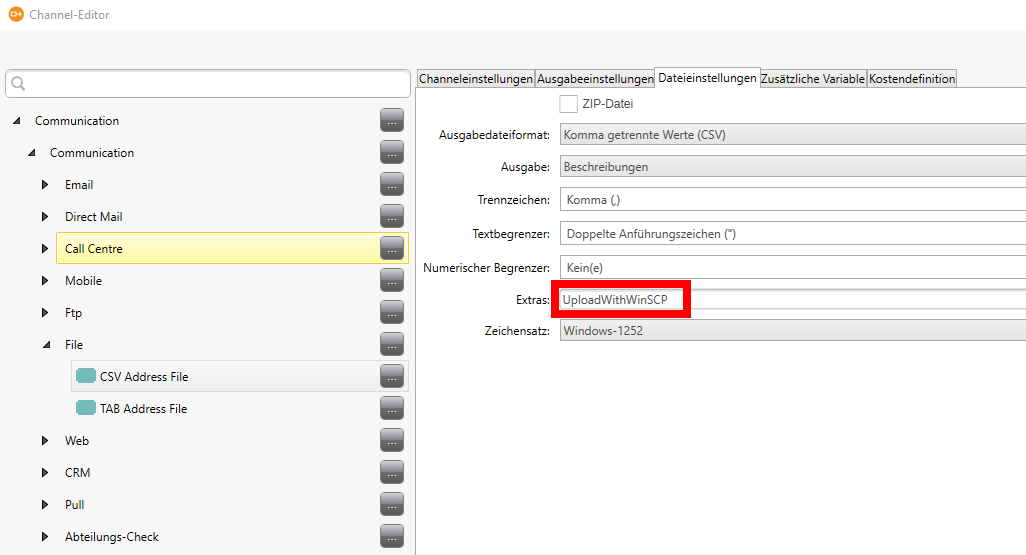
- Then refer to this extras.xml in your PeopleStage channel (or in FastStats output) like here:
- Execute the script
winscp__00__create_settings.ps1the create the settings.json file. The password will be saved encrypted. If you want to change the settings (like the sftp host), please edit the ps1 file first, change and check all settings and then execute it. It will also automatically calculate and save the fingerprint of your target server. - Then you are good to go to run a test campaign in PeopleStage.
- Please check your winscp.log to see if everything was successful or not...
- If there are any error, they are not transferred to PeopleStage yet... This can only be done with a PowerShell Channel.
- If you want to test it without PeopleStage or FastStats, try to trigger it from PowerShell with something similar like
Set-Location -Path "D:\Scripts\SQLServer\winscp"
.\winscp__21__extras_wrapper.ps1 -fileToUpload "D:\Scripts\SQLServer\winscp\test.txt" -scriptPath "D:\Scripts\SQLServer\winscp"
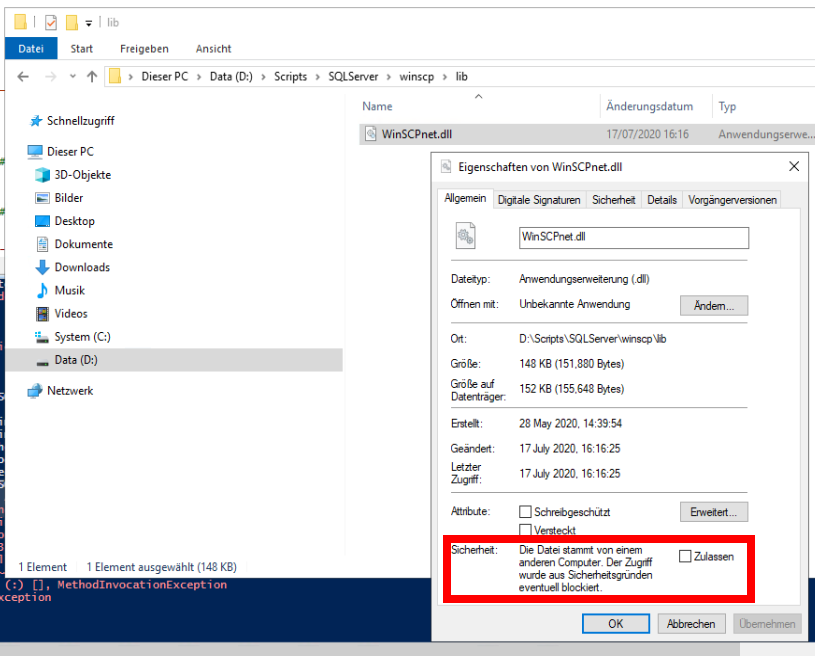
It could be, that the dll and exe files are seen as unsecure because they have been downloaded and are maybe not signed. In this case you have to look into the properties of those files individually and click and "Zulassen" and "Ok" to make use of those files. You can see it here: