There are many reasons why you might want to add an image to a web page: you might want to include a logo, photograph, illustration, diagram, or chart.
The
<img>element is used to add images to a web page.
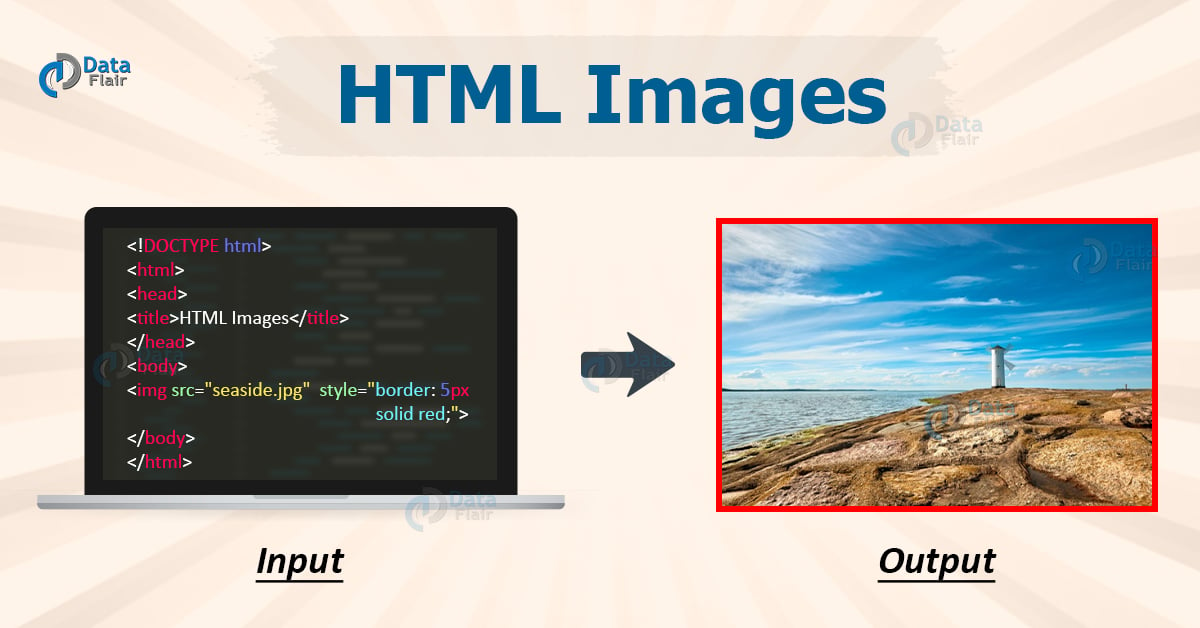
You must always specify a src attribute to indicate the source of an image and an alt attribute to describe the content of an image.
The required
srcattribute specifies the path (URL) to the image.
The required
altattribute provides an alternate text for an image, if the user for some reason cannot view it (because of slow connection, an error in the src attribute, or if the user uses a screen reader).
the alt text are shown if the browser cannot find the image.
Image Size - Width and Height
You can use the style attribute to specify the width and height of an image.
Alternatively, you can use the width and height attributes:
The width and height attributes always define the width and height of the image in pixels.
Note: Always specify the width and height of an image. If width and height are not specified, the web page might flicker while the image loads.
Images in Another Folder
If you have your images in a sub-folder, you must include the folder name in the src attribute:
| Abbreviation | File Format | File Extension |
|---|---|---|
| APNG | Animated Portable Network Graphics | .apng |
| GIF | Graphics Interchange Format | .gif |
| ICO | Microsoft Icon | .ico, .cur |
| JPEG | Joint Photographic Expert Group image | .jpg, .jpeg, .jfif, .pjpeg, .pjp |
| PNG | Portable Network Graphics | .png |
| SVG | Scalable Vector Graphics | .svg |
Use the CSS float property to let the image float to the left or to the right
Color can really bring your pages to life.
Colors in CSS can be specified by the following methods:
- Hexadecimal colors
- Hexadecimal colors with transparency
- RGB colors
- RGBA colors
- HSL colors
- HSLA colors
- Predefined/Cross-browser color names
- With the
currentcolorkeyword
- Hexadecimal Colors
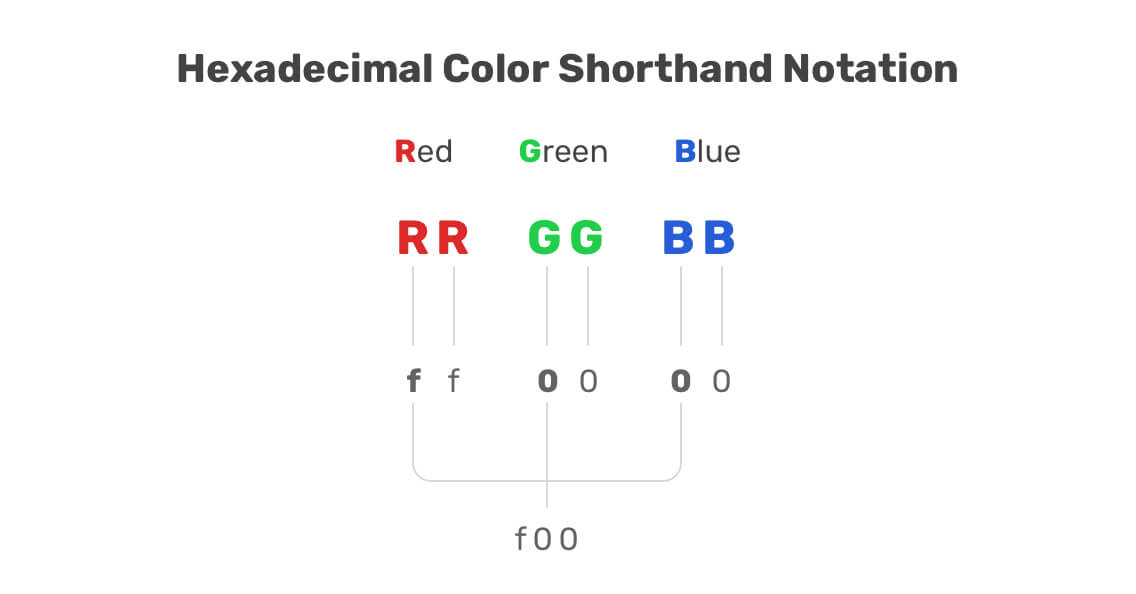
A hexadecimal color is specified with: #RRGGBB, where the RR (red), GG (green) and BB (blue) hexadecimal integers specify the components of the color. All values must be between 00 and FF.
- Hexadecimal Colors With Transparency
A hexadecimal color is specified with: #RRGGBB. To add transparency, add two additional digits between 00 and FF.
- RGB Colors
An RGB color value is specified with the rgb() function, which has the following syntax:
rgb(red, green, blue)
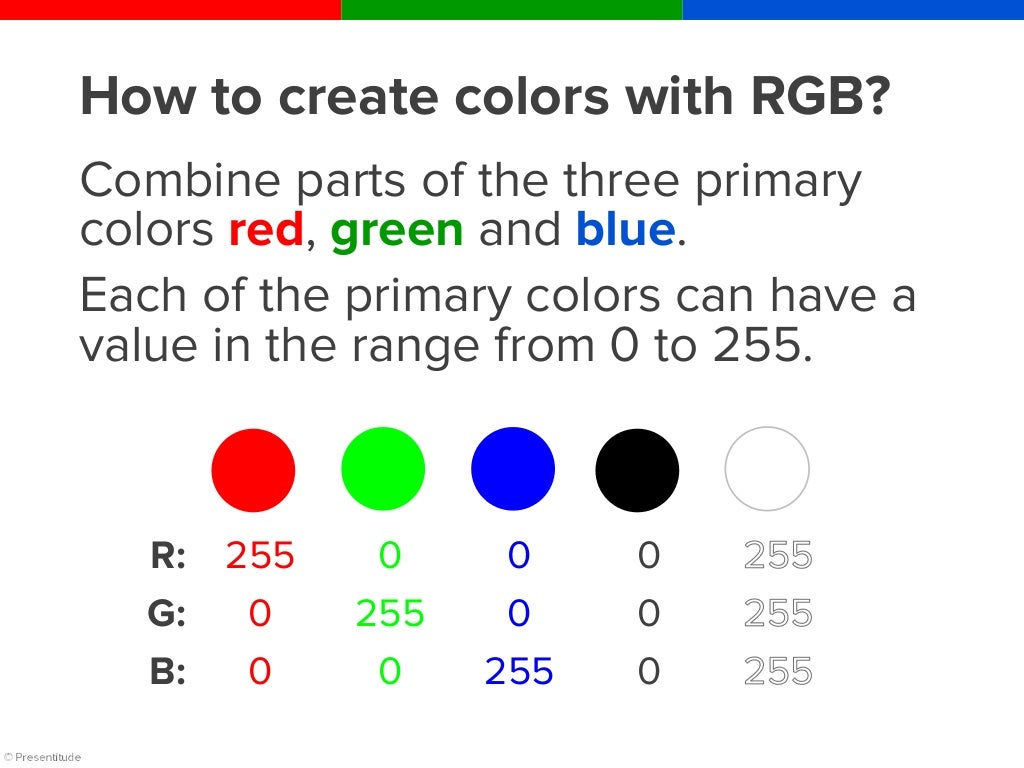
Each parameter (red, green, and blue) defines the intensity of the color and can be an integer between 0 and 255 or a percentage value (from 0% to 100%).
- RGBA Colors
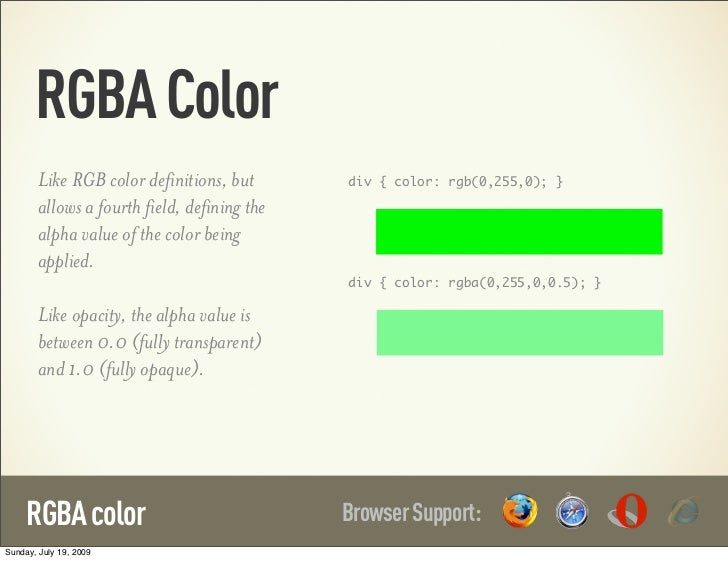
RGBA color values are an extension of RGB color values with an alpha channel - which specifies the opacity of the object.
An RGBA color is specified with the rgba() function, which has the following syntax:
rgba(red, green, blue, alpha)
The alpha parameter is a number between 0.0 (fully transparent) and 1.0 (fully opaque).
- HSL Colors
An HSL color value is specified with the hsl() function, which has the following syntax:
hsl(hue, saturation, lightness)
HSL stands for hue, saturation, and lightness - and represents a cylindrical-coordinate representation of colors.
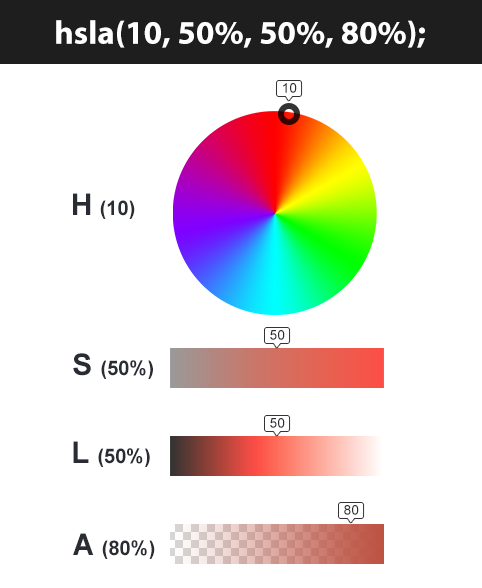
Hue is a degree on the color wheel (from 0 to 360) - 0 (or 360) is red, 120 is green, 240 is blue. Saturation is a percentage value; 0% means a shade of gray and 100% is the full color. Lightness is also a percentage; 0% is black, 100% is white.

- HSLA Colors
HSLA color values are an extension of HSL color values with an alpha channel - which specifies the opacity of the object.
An HSLA color value is specified with the hsla() function, which has the following syntax:
hsla(hue, saturation, lightness, alpha)
The alpha parameter is a number between 0.0 (fully transparent) and 1.0 (fully opaque).
- Predefined/Cross-browser Color Names
140 color names are predefined in the HTML and CSS color specification.
For example: blue, red, coral, brown, etc:

- The currentcolor Keyword
The currentcolor keyword refers to the value of the color property of an element.
In CSS there are five generic font families:
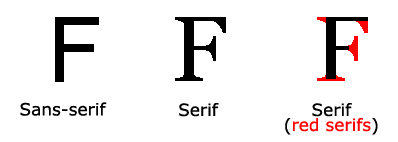
- Serif fonts have a small stroke at the edges of each letter. They create a sense of formality and elegance.
- Sans-serif fonts have clean lines (no small strokes attached). They create a modern and minimalistic look.
- Monospace fonts - here all the letters have the same fixed width. They create a mechanical look.
- Cursive fonts imitate human handwriting.
- Fantasy fonts are decorative/playful fonts.
All the different font names belong to one of the generic font families.
In CSS, we use the font-family property to specify the font of a text.
The font-family property should hold several font names as a "fallback" system, to ensure maximum compatibility between browsers/operating systems. Start with the font you want, and end with a generic family (to let the browser pick a similar font in the generic family, if no other fonts are available). The font names should be separated with comma.
Note: If the font name is more than one word, it must be in quotation marks, like: "Times New Roman".
The following list are the best web safe fonts for HTML and CSS:
- Arial (sans-serif)
- Verdana (sans-serif)
- Helvetica (sans-serif)
- Tahoma (sans-serif)
- Trebuchet MS (sans-serif)
- Times New Roman (serif)
- Georgia (serif)
- Garamond (serif)
- Courier New (monospace)
- Brush Script MT (cursive)
Just add a special style sheet link in the <head> section and then refer to the font in the CSS.

The font-style property is mostly used to specify italic text.
This property has three values:
- normal - The text is shown normally
- italic - The text is shown in italics
- oblique - The text is "leaning" (oblique is very similar to italic, but less supported)

The font-size property sets the size of the text.
Being able to manage the text size is important in web design. However, you should not use font size adjustments to make paragraphs look like headings, or headings look like paragraphs.
Always use the proper HTML tags, like <h1> - <h6> for headings and <p> for paragraphs.
The font-size value can be an absolute, or relative size.
- Absolute size:
- Sets the text to a specified size
- Does not allow a user to change the text size in all browsers (bad for accessibility reasons)
- Absolute size is useful when the physical size of the output is known
- Relative size:
- Sets the size relative to surrounding elements
- Allows a user to change the text size in browsers

Set Font Size With Pixels
Setting the text size with pixels gives you full control over the text size
Set Font Size With Em
To allow users to resize the text (in the browser menu), many developers use em instead of pixels.
To shorten the code, it is also possible to specify all the individual font properties in one property.
The font property is a shorthand property for:
font-stylefont-variantfont-weightfont-size/line-heightfont-family
Note: The
font-sizeandfont-familyvalues are required. If one of the other values is missing, their default value are used.